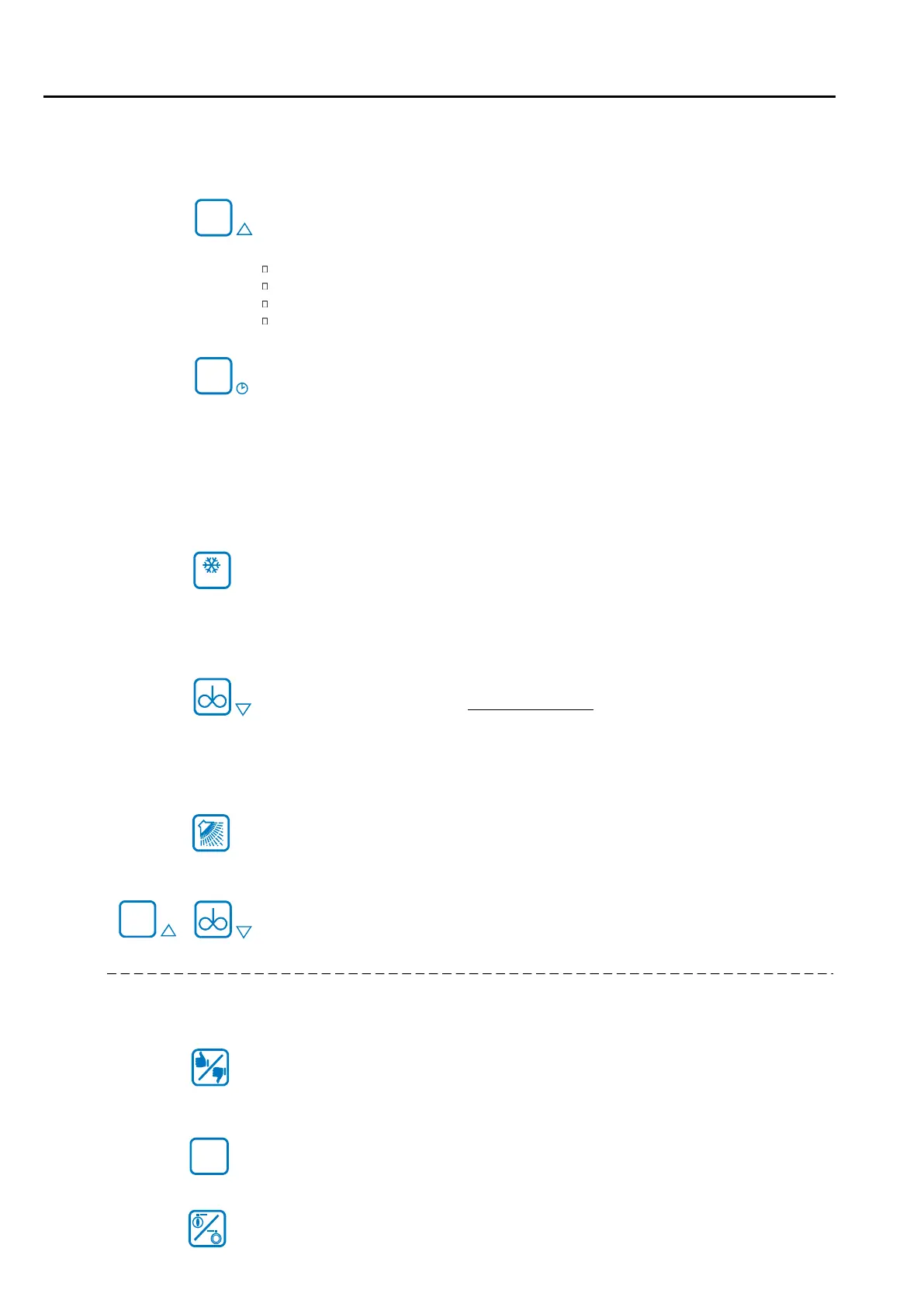
„OFF“ button
To change to a different mode, always first press the “OFF” button.
active modes are closed down when the OFF button is pressed.
Switch control unit to STAND-BY
Close down cleaning mode or continuous stirring mode prematurely
Acknowledge error
Change to programming mode (hold down button for 3 seconds)
„SET“ button
in OFF mode = press briefly: Display of critical faults (if available)
Hold down for 3 seconds: set date and time
in cleaning mode = “Cleaning stage” or “Tank temperature” is displayed
(see Parameter [r97])
and current error
Parameter setting = the current value entered is displayed
= Tank monitor the current error code is displayed
“COOL” button
in OFF mode = start cooling
press 2x = bypass the cooling start delay (if set)
press long = new start of the cooling-start-delay
in cooling mode = change target temperature T1 / T2
„AGITATOR” button
in OFF mode = start modecontinuous stirring
in cooling mode = press for 1 second: "Intermediate stirring SHORT"
press for 3 seconds: "Intermediate stirring LONG”
See also section “Cooling mode” at the end of
“WASHING” button
in OFF mode = start cleaning
“ARROW KEYS”
To select and adjust parameters.
5.2.1 Button functions
„RESET“ button
press briefly =Confirmation of the message “do not load”
hold 5 seconds = Test of the red alarm-LED
„ROBOT STOP button“ (if parameterized)
Starts or stops both the robot and the cooling mode as well.
„PNEUMATIC OUTLET VALVE“ button (if parameterized)
Opens / closes the pneumatic outlet valve.
Operation by the driver of the milk truck
Page 12
OFF
SET
T1/T2
OFF
STOP
5. Operation



 To Next Page