FX15 Controller Technical Bulletin
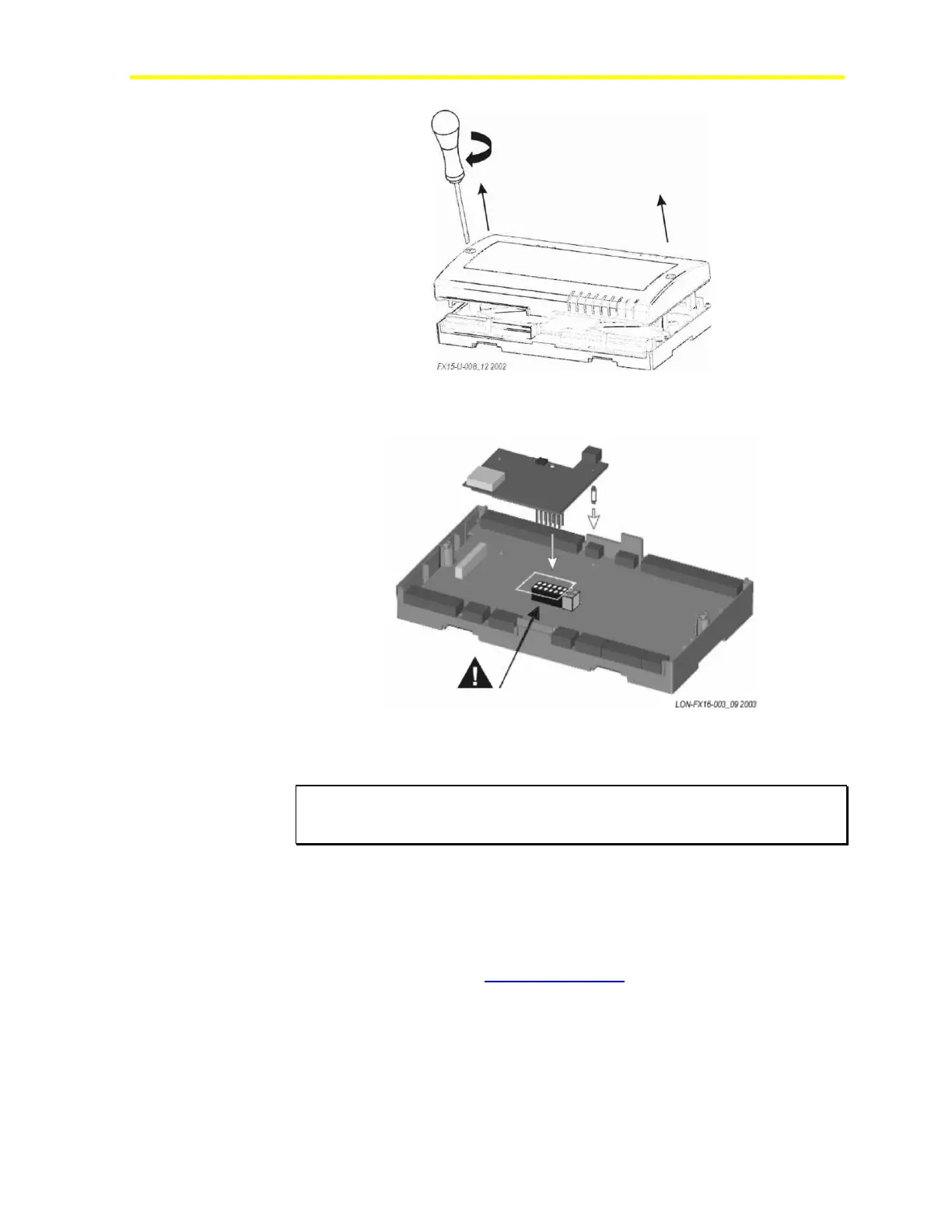
Figure 19: Open the Controller
3. Insert the card. See Figure 20.
Figure 20: Insertion of the L
ONWORKS Card
4. Replace and close the lid.
IMPORTANT: The CMOS integrated circuit in the controller and on the
communication card are sensitive to static current discharges.
Take suitable precautions.
Refer to the LONWORKS FTT-10A Free Topology User’s Guide
(078-0156-01F) for technical guidelines associated with free topology
restrictions. Refer to the Junction Box and Wiring Guidelines for
Twisted Pair LONWORKS Networks (005-0023-01) for more detailed
information on wiring specification. These documents are available on
the Echelon® Web site (www.echelon.com).
Align the pins as shown in figure.



 To Next Page