FX15 Controller Technical Bulletin
Connecting the Programming Key to a Computer
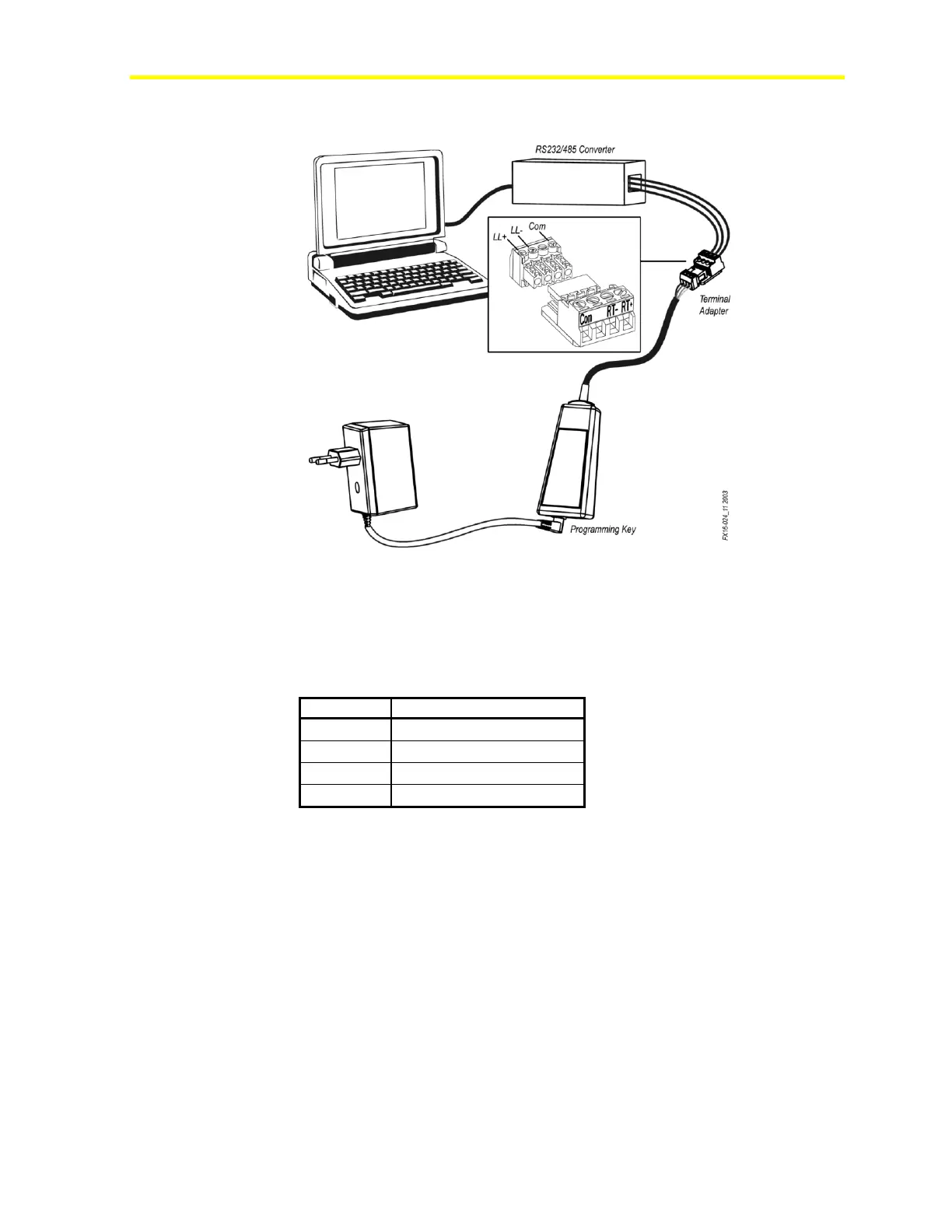
Figure 27: Programming Key Connection to a Computer
To connect the Programming Key to a computer:
1. Connect the terminal adapter (included in the Programming Key kit)
to the RS-232/485 converter connected to the computer.
Table 2: Terminal Adapter
2. Power the Programming Key via AC/DC adapter.
3. Launch FX Loader.
4. Upload the application.



 To Next Page