FX15 Controller Technical Bulletin
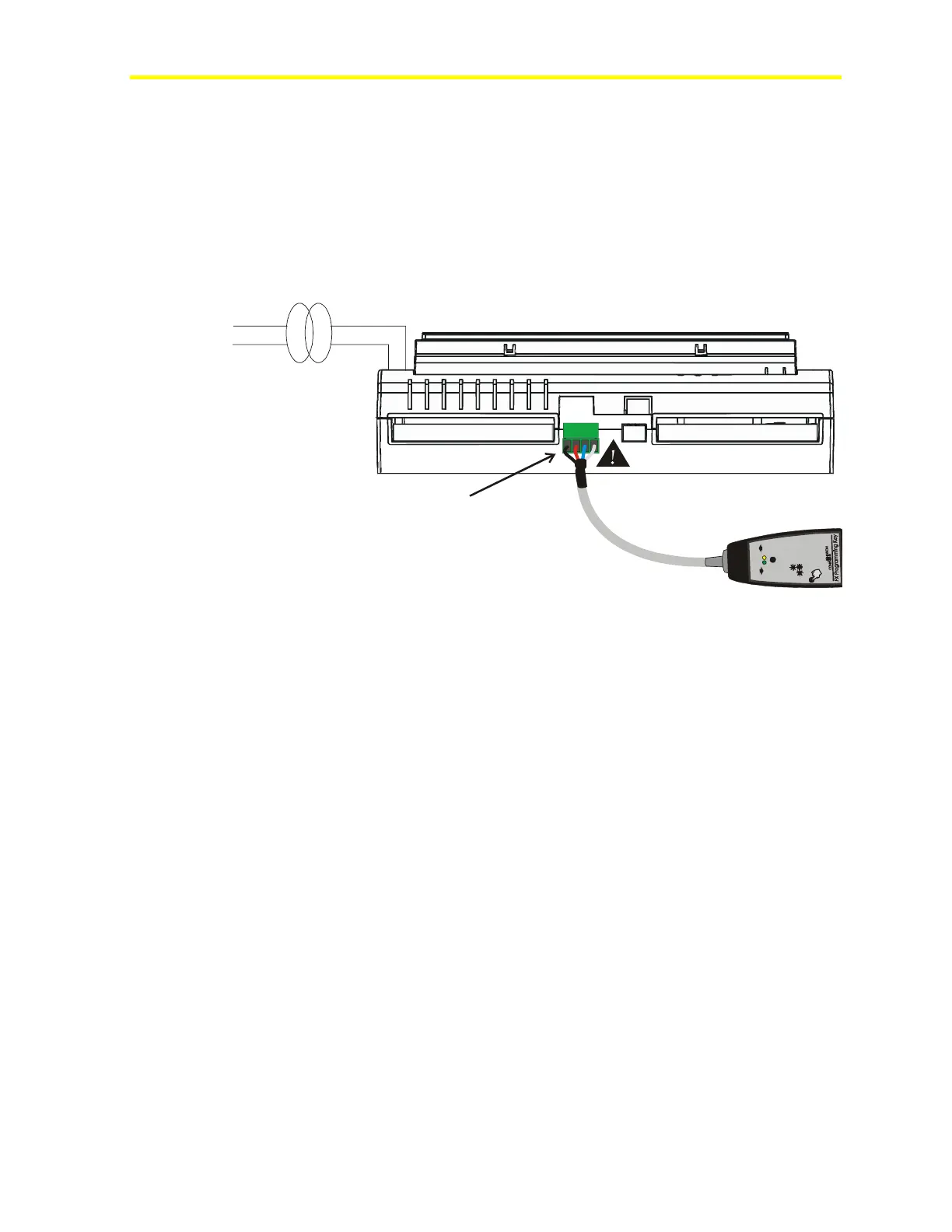
Connecting the Programming Key to an FX15 Controller
To connect the Programming Key to an FX15 controller:
1. Power off the controller.
2. Remove any connected user interfaces from the Remote Display
Port (JP2).
3. Plug the Programming Key into the Display Port (JP2)
(see Figure 26).
U
p
l
o
a
d
D
o
w
n
l
o
a
d
<
1
s
e
c
>
3
s
e
c
>
1
5
s
e
c
t
o
s
e
l
e
c
t
t
o
c
o
n
f
i
r
m
f
o
r
M
E
M
O
R
Y
E
R
A
S
E
D
o
w
n
l
o
a
d
/
U
p
l
o
a
d
L
E
D
D
o
w
n
l
o
a
d
/
U
p
l
o
a
d
f
a
i
l
e
d
L
E
D
s
24 VAC230 VAC
Remote Display Port
(JP2)
FX16-018_09 2003
Figure 26: Programming Key Connection to FX15 Controller
4. Power up the controller and download/upload the application.



 To Next Page