FX16 Master Controller Technical Bulletin
36
FX15
MUI 2MUI 1
1
2
3
4
5
6
7
8
1
2
3
4
5
6
7
8
Com +16V LL- LL+
FX15 "Classic"
LL+ LL- +9V Com
FX15 "Universal"
MUI-008_10 2002
V Com (-)
RT Com
RT-
RT+
V /~
(+)
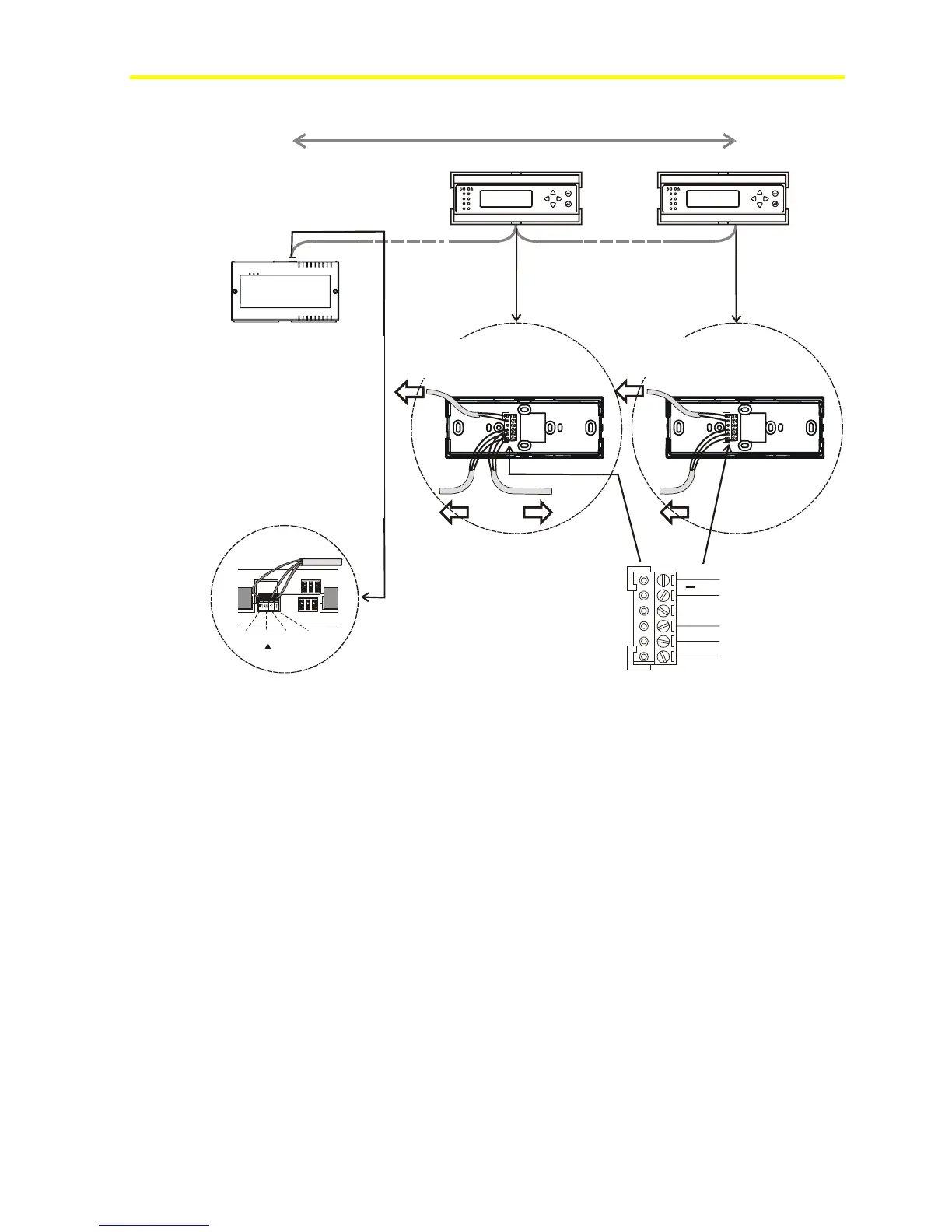
Figure 31: Installation of Two Wall Mount MUIs
Assigning the MUI Address for Multiple Connections
At power up, a remote MUI automatically has a default N2 address of 1.
If you connect two remote MUIs, then you must change the second
MUI N2 address to avoid communication conflicts.
To assign the MUI address for multiple connections:
1. Wait for the second MUI to display Device Offline (as shown in
Figure 32).
Max 1 Km, total length
FX16
FX16



 To Next Page