Page 10/11 Operation
6.2 Column Display (Analogue Display)
The column shows the filling level graphically. The scaling is in percent and cannot be
changed. The filling level is also displayed digitally (see Figure 4).
There are two possible ways of navigating in the column display:
• Symbol [R] - shows the status of all relays
• Symbol [M] - returns to the main menu
6.3 Relay Status Display
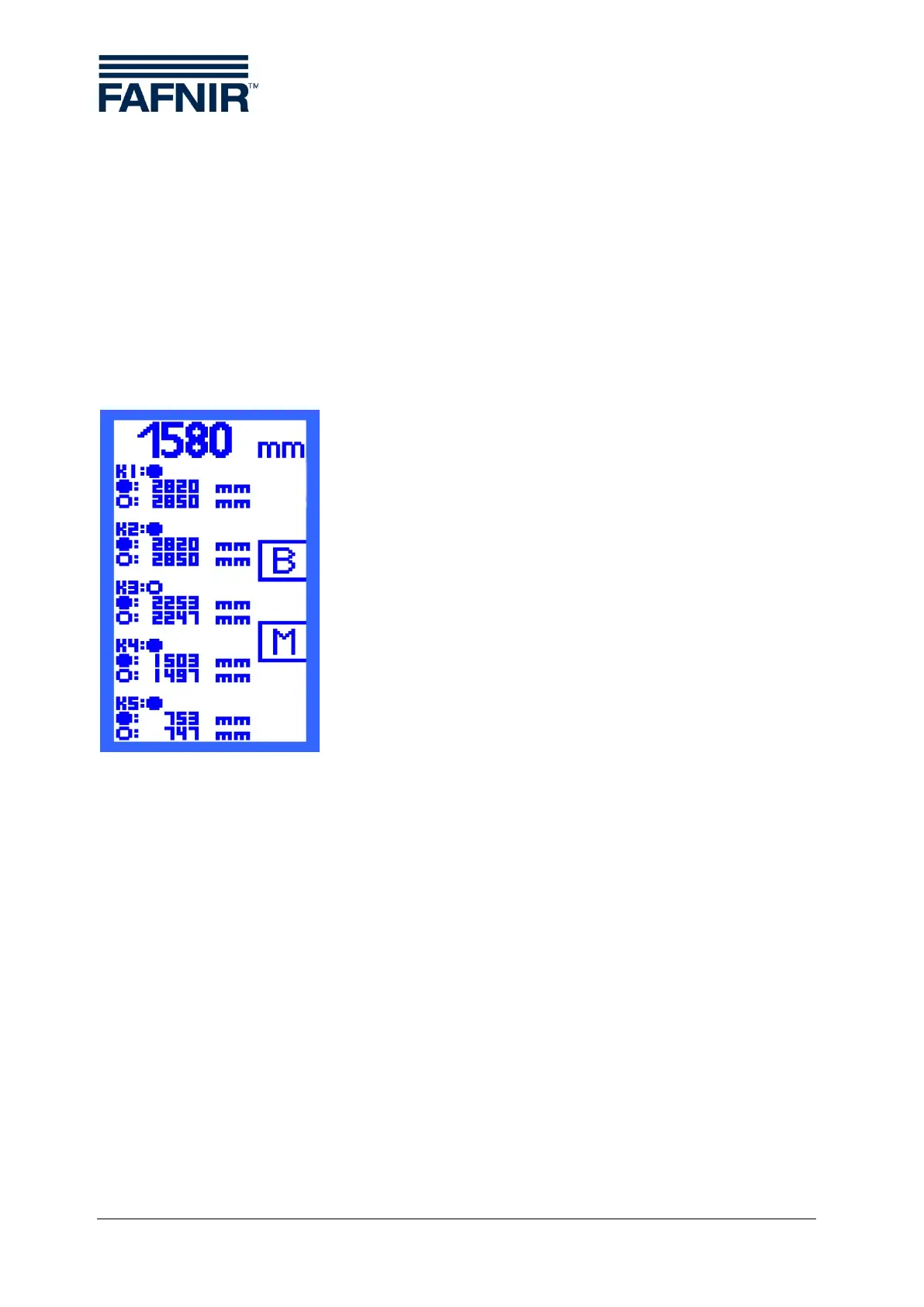
The relay status display gives an overview of the current status
of all relays:
A filled point indicates the status "relay activated”.
An open point indicates the status "relay deactivated".
At the same time, you have an overview of the switching points
of the relays which you set in the "S-P On" and "S-P Off" menu
points.
The symbol
[B] - leads to the column display ("bar graph").
[M] - returns to the main menu.
Figure 5: Relay Status Display



 To Next Page