.
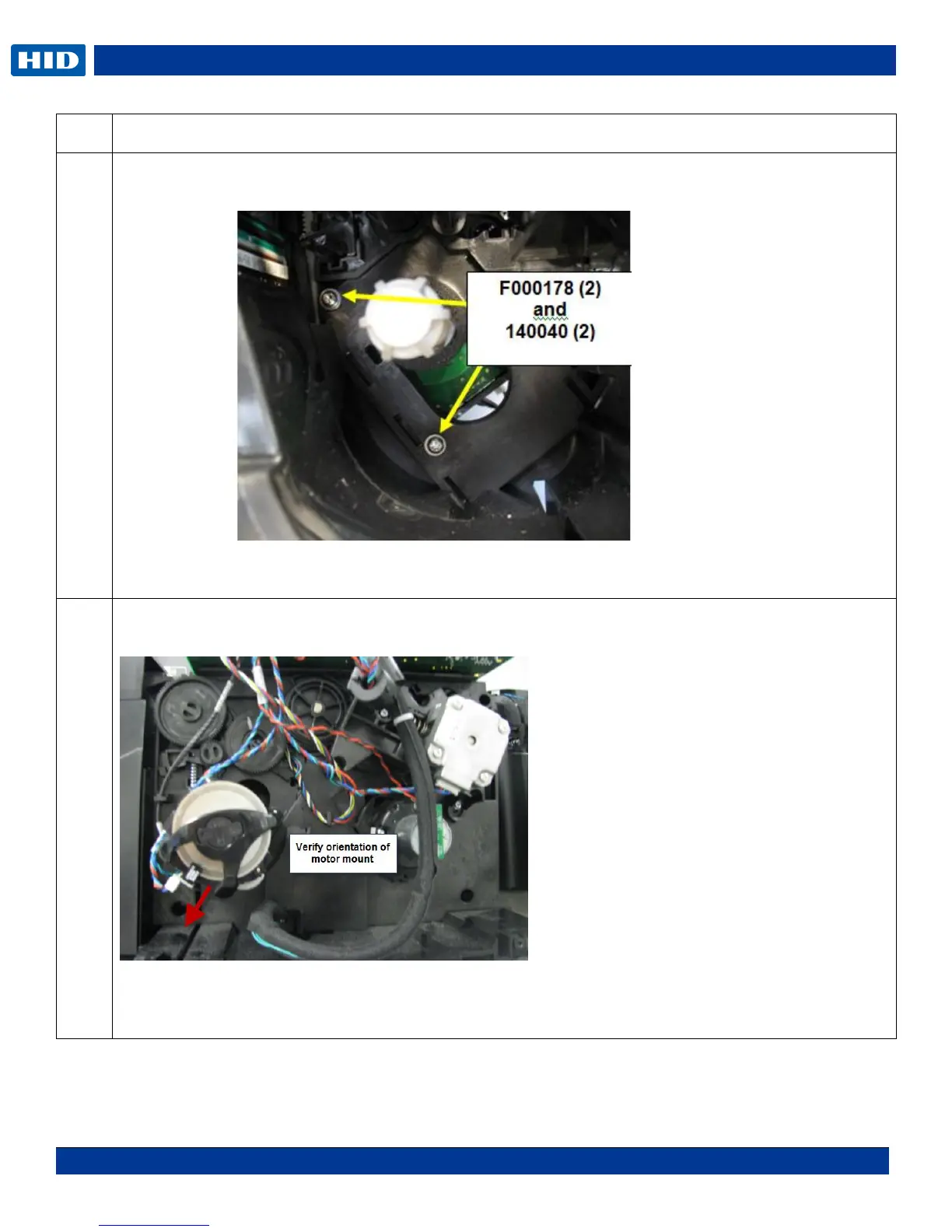
Remove the screw F000178 & washer 140040 from the Stepper Motor assembly. This is done from
the front of the printer.
NOTE: DTC1250e/4250e will have 2 screws holding the Supply. DTC4500e has only one screw
holding the supply.
Slide the Supply Spindle DOWN To release. Slide the Motor UP to install.
NOTE: You do not need to remove the gears or the Stepper Motor for this procedure.
NOTE: If ribbon wrinkle occurs after replacing the motor, move the motor assembly DOWN slightly in
the frame. Loosen the 2- F000178 screws from the supply spindle, move down 1/16
th
inch then
tighten the F000178 screws.



 To Next Page