DTC1000Me-1250e-4250e-4500e Card Printer Service Manual PLT-01543 rev 1.0
.
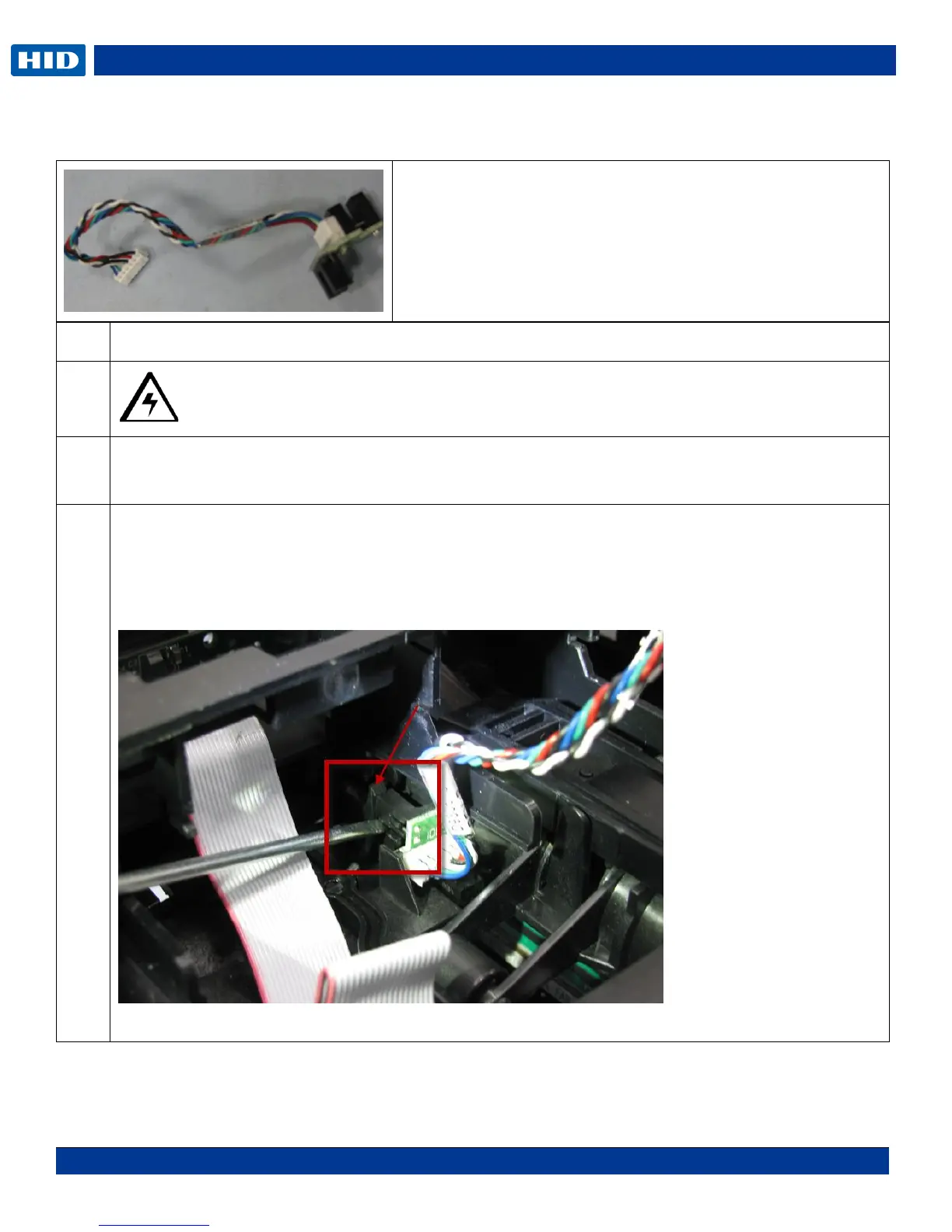
Remove/Replace Card Path/Cover Sensor (D930613)
Caution: Turn OFF the Printer and unplug the power cord from the Printer.
Remove the mainboard.
Remove the J11 and J17 connector from the mainboard.
Use a small flathead screwdriver to GENTLY pry the sensor up.
The sensor must be released from the small tab holding the sensor.
( See the RED arrow)
NOTE: Pry up on both sides of the sensor legs not just one side or it may break.
(The cable is shown on THIS side of the frame for clarity.)
Tools needed: T10 Torx screwdriver
Estimated Repair Time: 30 min
Preparation: Remove the Covers
Important: This procedure can only be performed by
authorized service personnel.



 To Next Page