EasyManua.ls Logo

Fargo DTC4250e - Remove;Replace Rewind Motor Assembly, RFID Board, Encoder Sensor

Fargo DTC4250e
145 pages
Print Icon
To Next Page IconTo Next Page
To Previous Page IconTo Previous Page
Loading...
DTC1000Me-1250e-4250e-4500e Card Printer Service Manual PLT-01543 rev 1.0
November 2013 107
Remove/Replace the Rewind Motor Assembly RFID Board A000365-01
Encoder Sensor A000126
Step
Procedure
1
Caution: Turn OFF the Printer and unplug the power cord from the Printer.
2
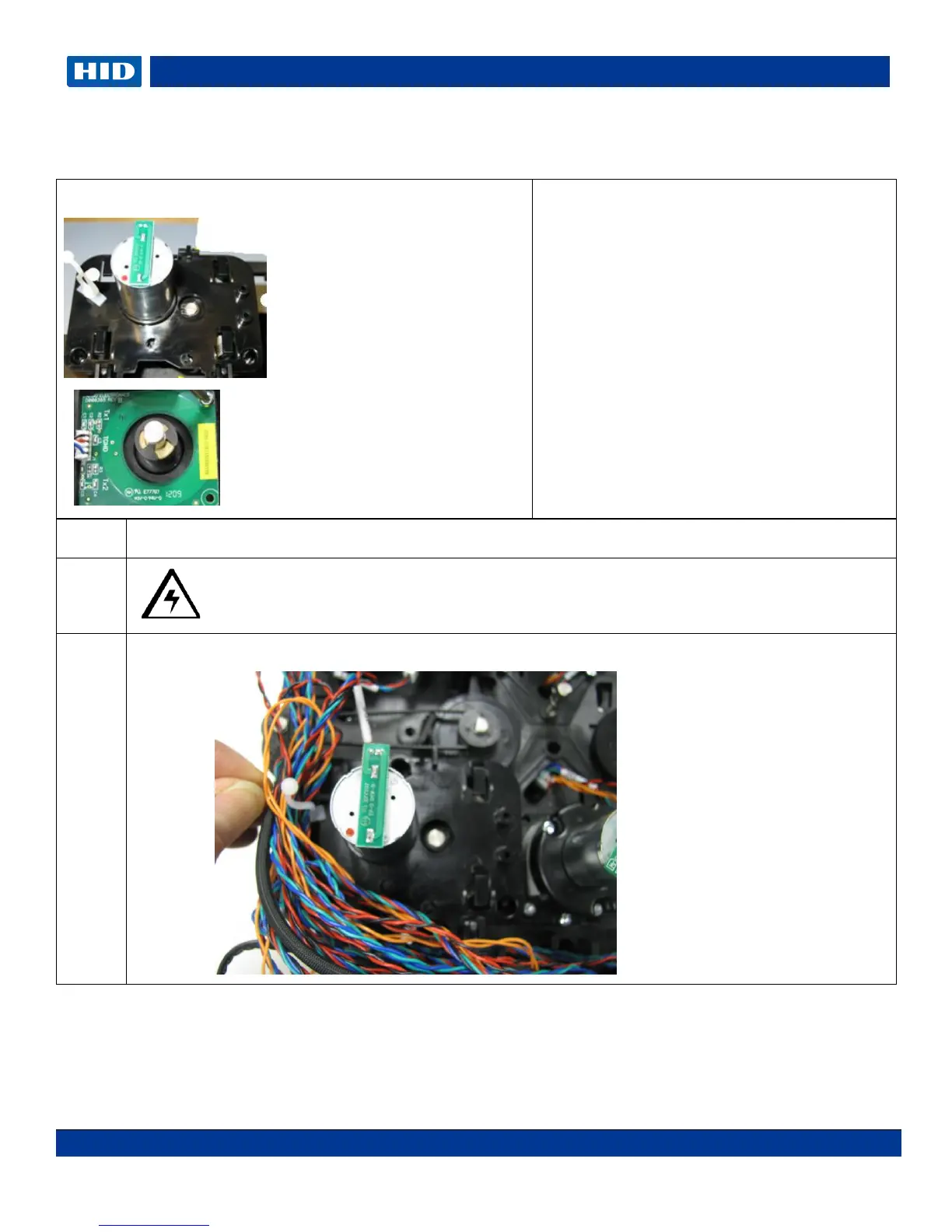
Unclip the Wire bundle for better access.
A000126
A000365-01
Tools needed: T10 Torx screwdriver
Estimated Repair Time: 30 min
Preparation: Remove the Lamination
Module Covers.
Important: This procedure can only be
performed by authorized service personnel.
NOTE: The Dual Side Lamination Module
uses 2 Rewind Motor Assemblies.
**Picture shown below is the LOWER
Rewind Assembly.


Table of Contents

Related product manuals