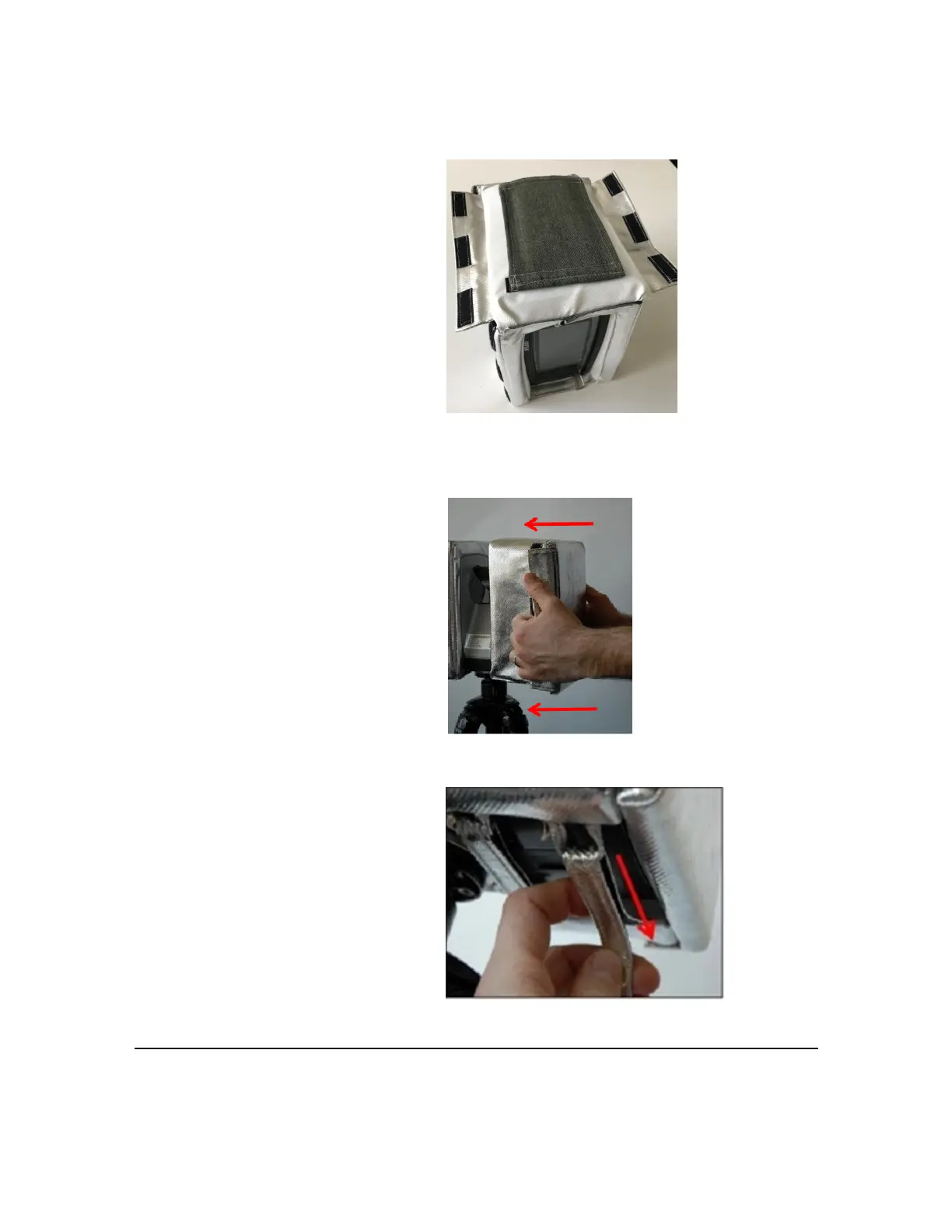
Figure 3-3 : Loosen Velcro straps
Figure 3-4 : Display-side thermal cover
3.Holdacoveronbothsides,andgently
slideitoverthescannerhousing.Repeat
thisstepwiththesecondcoveronthe
othersideofthelaserscannerhousing.
Figure 3-5 : Slide thermal protection cover onto scanner
4.TightenandfixthetwoVelcrostrapsatthe
bottomofeachcoversothecoverfits
tightlyontheouterlaserscannerhousing.
Figure 3-6 : Fix the Velcro straps at the bottom
FARO
®
FOCUS® Laser Scanner Accessories Manual
Chapter 3: Thermal Protection Covers
FARO FOCUS® LASER SCANNER (00.00) Page16of36



 To Next Page