LEDstate Scannerstate
Orange Anerrororwarninghasoccurred
Orangeflashingquickly Lowbatteryorerrorduringbootorshutdown
Redflashing Scanoperationwithlaseron
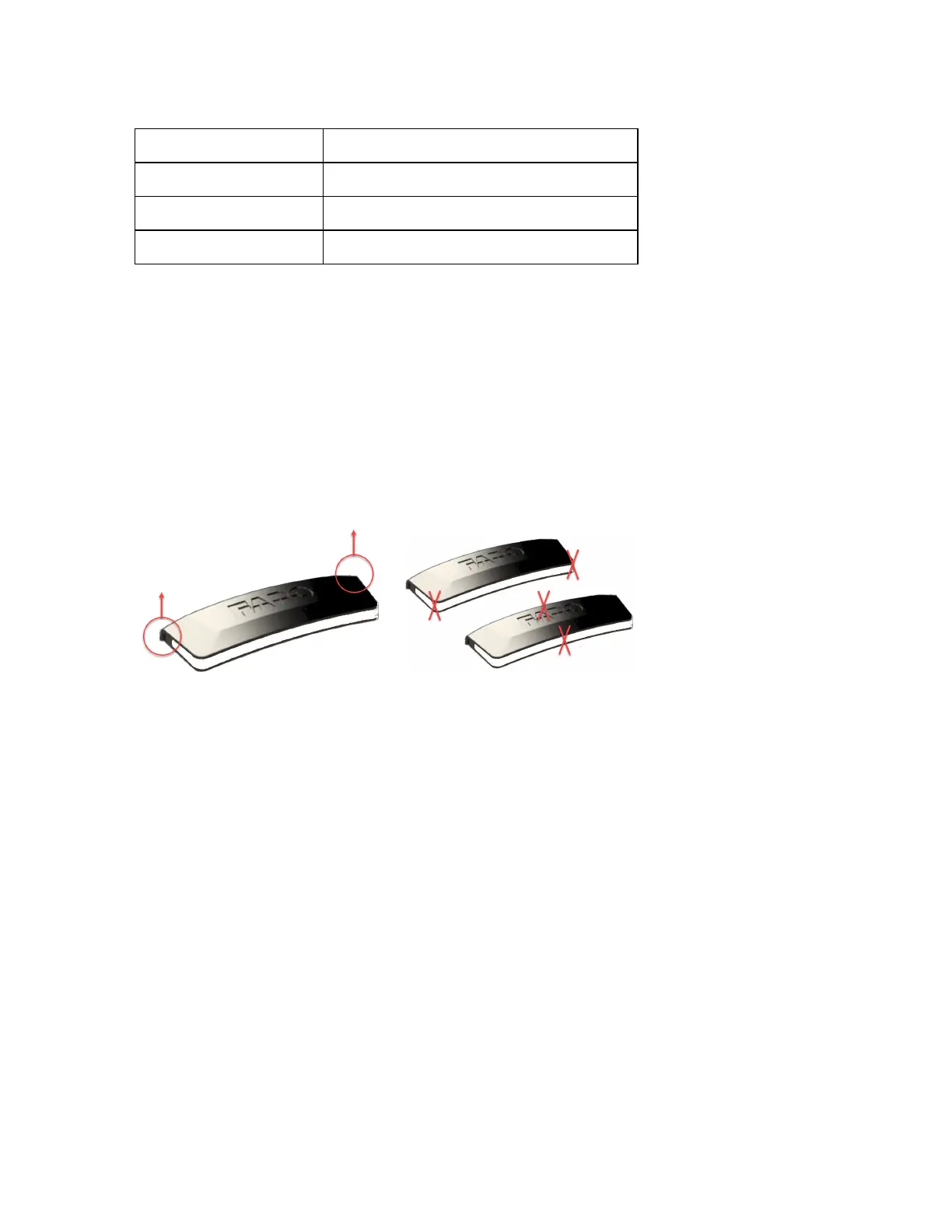
Removing the status indicator
Removethestatusindicatorbeforeplacingthelaserscannerinitscase.
1.Switchoffthescanner.
2.RemovethestatusindicatorbygraspingitwithtwofingersonthecornersshowninFigure2-4and
pullingvertically.
Figure 2-4 : Pull here to remove
Figure 2-5 : Do not pull here
3.Replacetheaccessorybaycoverafterremovingthestatusindicator.
4.Storethestatusindicatorinaclothbagorothersoftcarryingcasethatwillpreventthegold-plated
contactsfrombeingscratched.
FARO
®
FOCUS® Laser Scanner Accessories Manual
Chapter 2: Status Indicator
FARO FOCUS® LASER SCANNER (00.00) Page11of36



 To Next Page