!
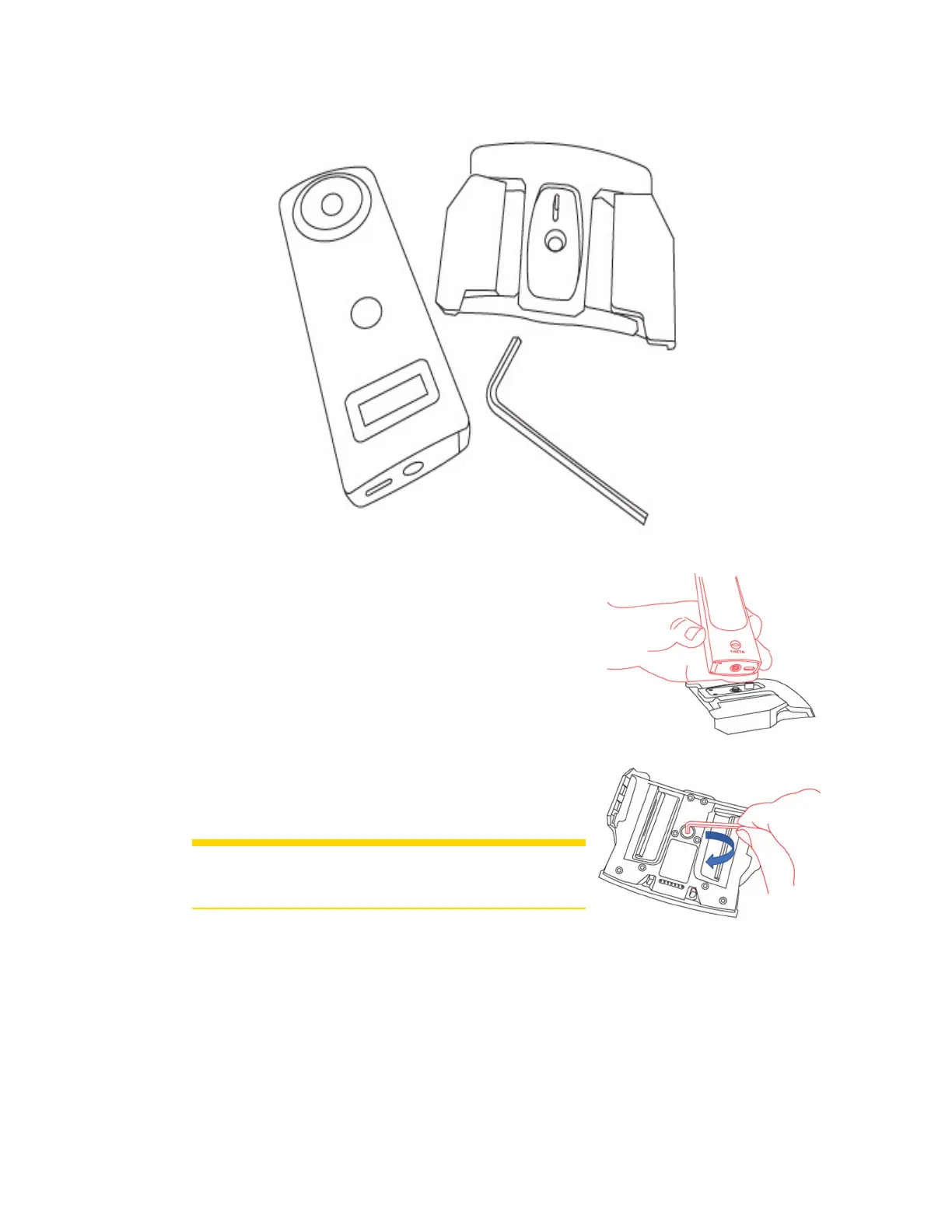
Connectthecamera'sUSB-CconnectortotheUSBconnector
onthemount.
"
Usethehex-keytotightenthecamerascrew,whichislocated
onthebottomofthemount.
CAUTION: Donotover-tightenthescrew.Damagetothe
cameraormountcouldresult.
#
Proceedwithattachingthecamera/mountingbracketassembly
tothescanner.
FARO
®
FOCUS® Laser Scanner Accessories Manual
Chapter 5: PanoCam
FARO FOCUS® LASER SCANNER (00.00) Page22of36



 To Next Page