62
NISEA
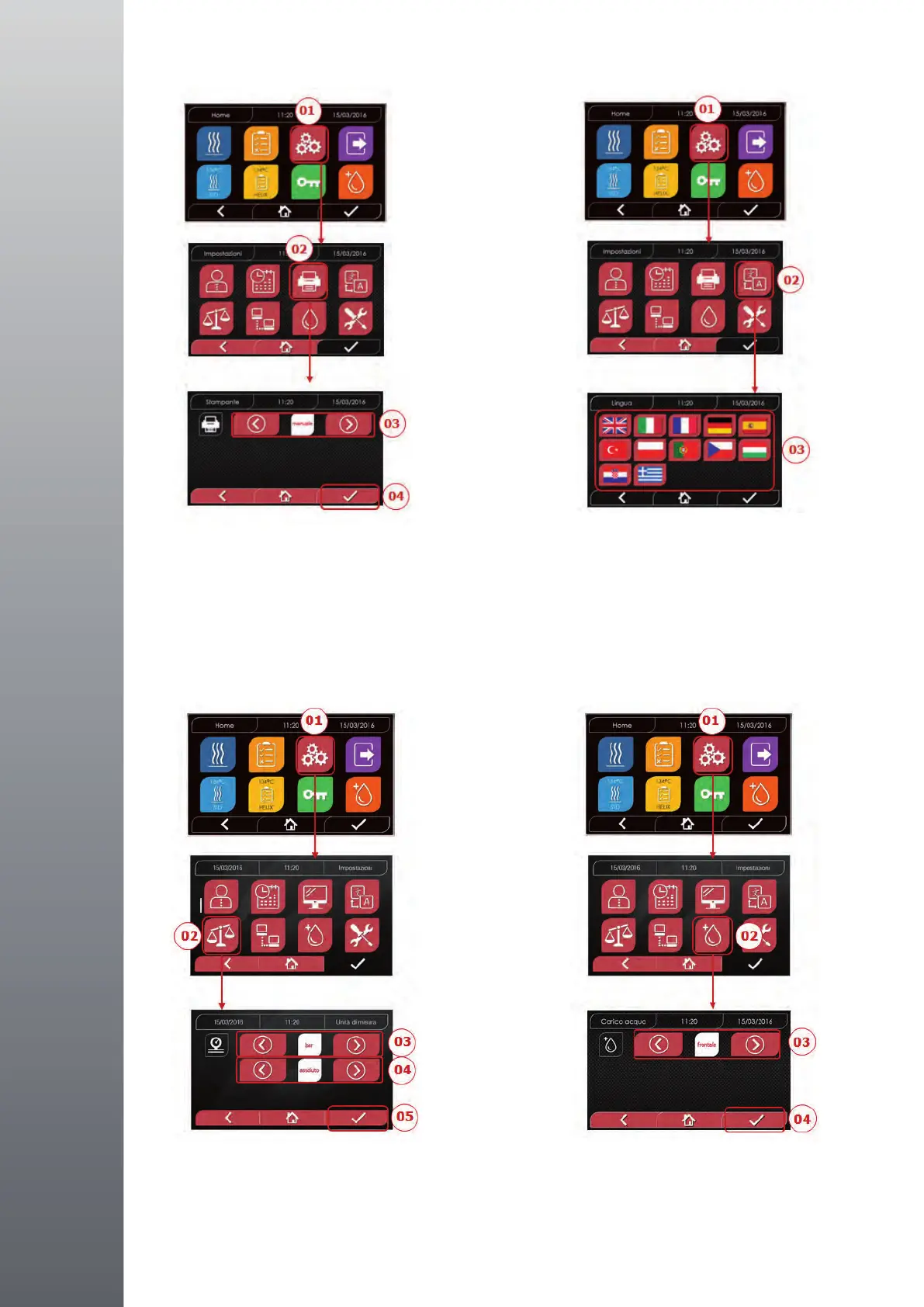
4.8.3 Printer settings
4.8.4 Language settings
4.8.5 Measurement unit settings
(only for premium version)
4.8.6 Water settings
(only for premium version)
01 Select “Settings”
02 Select “Printer”
03 Click on the arrows to change
from automatic to manual print
mode and vice versa
04 Conrmtosave
01 Select “Settings”
02 Select “Language”
03 Click on the desired language
01 Select “Settings”
02 Select “Measurement unit”
03 Click on the arrows to change
from “bar” to “kPa”
04 Click on the arrows to change
from “absolute” to “relative”
05 Conrmtosave
01 Select “Settings”
02 Select“Watersettings”
03 Click on the arrows to change
fromfrontlling(manual)to
rearlling(fromthewatermains)
04 Conrmtosave
42
NISEA
4.8.3 Impostazioni stampante
4.8.4 Impostazioni lingua
42
NISEA
4.8.3 Impostazioni stampante
4.8.4 Impostazioni lingua
4343
NISEA
4.8.5 Impostazioni unità di misura 4.8.6 Impostazioni acqua
(solo per versione premium) (solo per versione premium)
4343
NISEA
4.8.5 Impostazioni unità di misura 4.8.6 Impostazioni acqua
(solo per versione premium) (solo per versione premium)
EXAMPLE OF
LANGUAGES
SCREEN


 To Next Page