3.6 Draining Ink
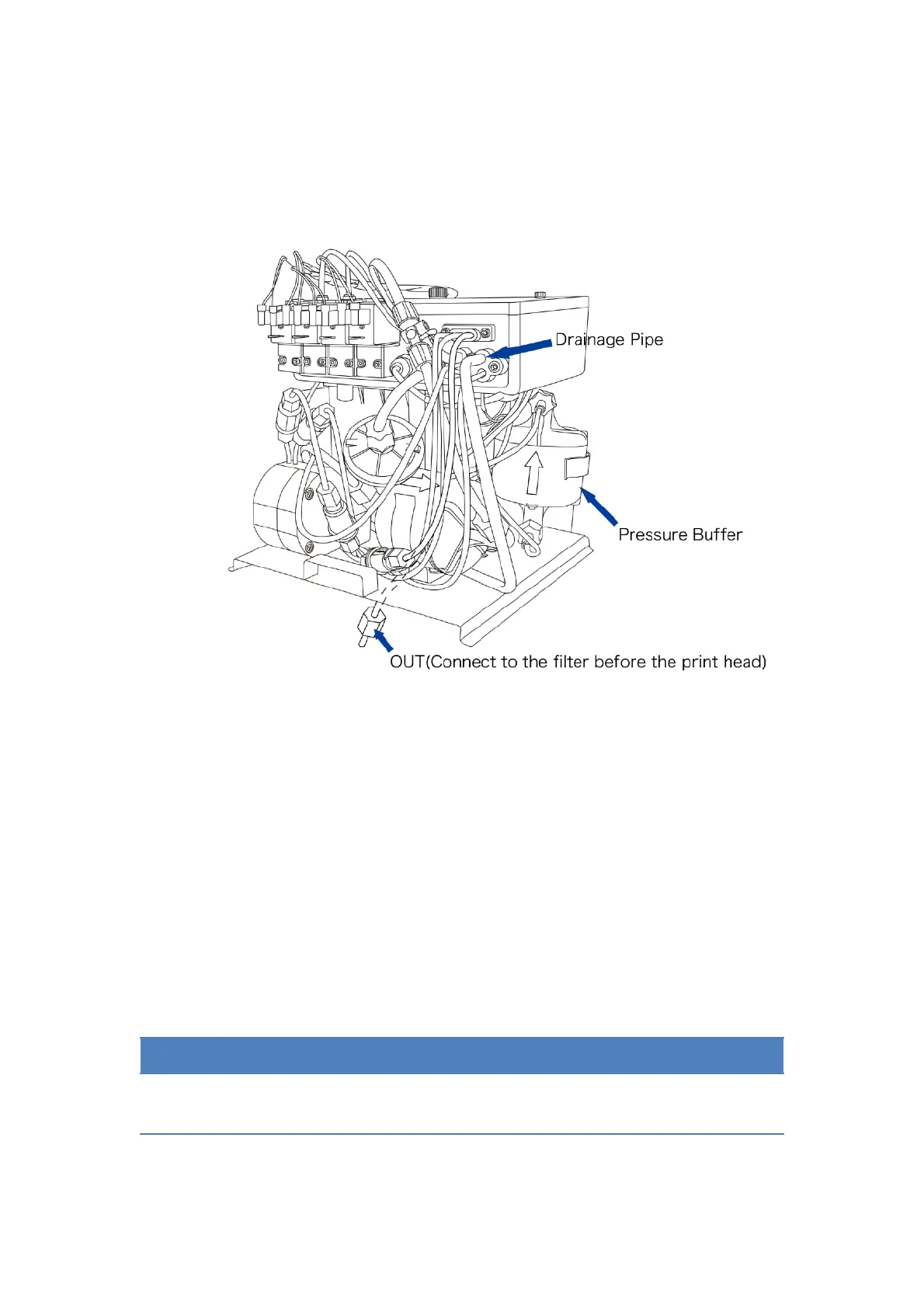
1. Unscrew the “OUT” port out and put it into the effluent bottle.
2. Inverse the pressure buffer.
3. In the “System” menu select the “Single Step”, open “Pump”,
“Valve 6”, “Valve 11”, “Valve 12”, ink will be drained from the “OUT”
port.
4. After ink drained, quit “Single Step” menu, restore the press buffer
and the “OUT” port.
5. Pull out the Drainage Pipe, drain the ink left in the mixing tank and
restore it.


 To Next Page
 Loading...