Operation
4812163801.pdf 2019-04-30
Display - Control
1
2
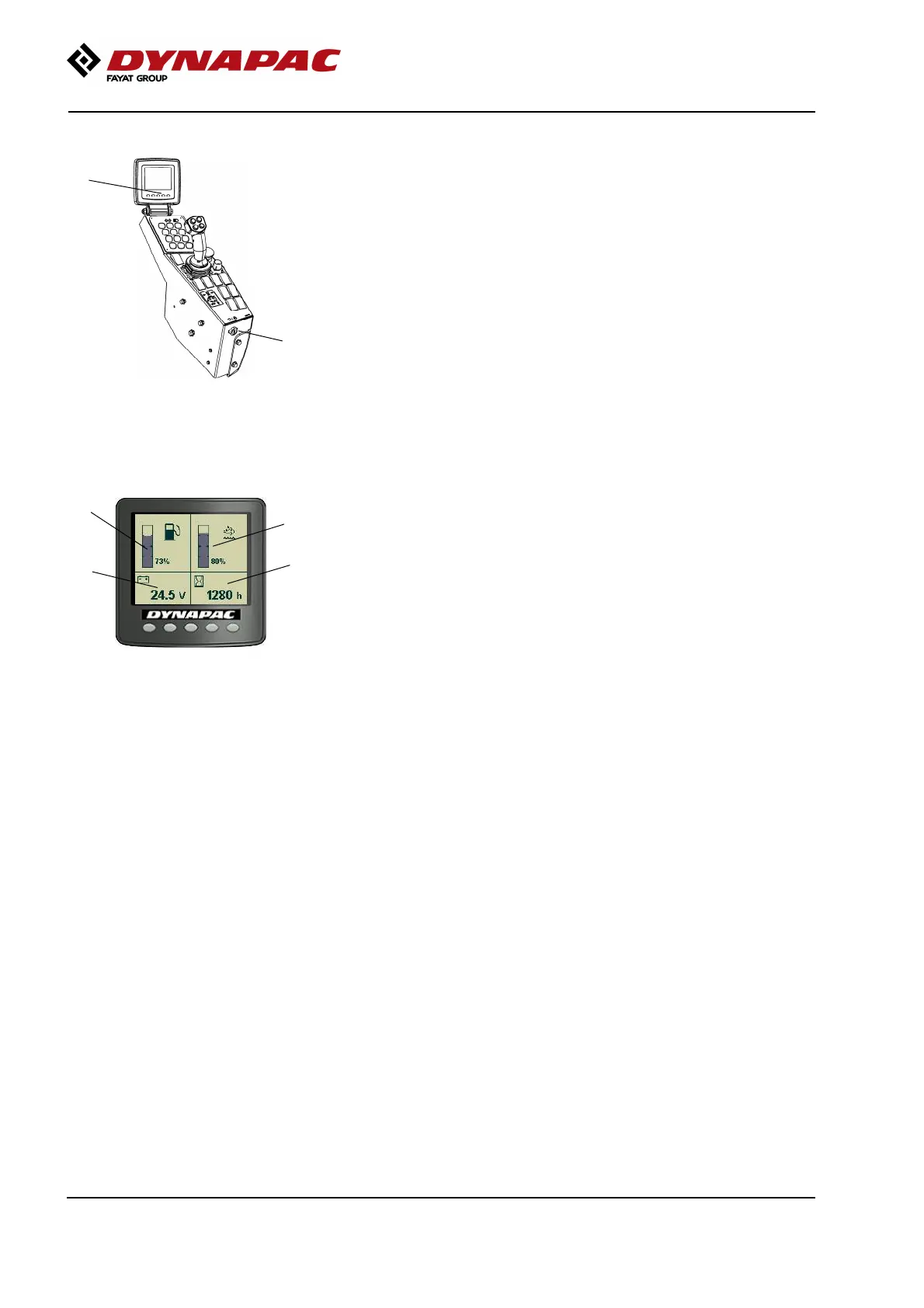
Fig. Control panel
1. Ignition key
2. Status screen
Sit down for all operations.
Turn the ignition key (1) to position I, the start screen
will be shown in display.
4
5
6
3
Fig. Status image
3. Fuel level
4. Hourmeter
5. Voltmeter
6. Urea level
Check that the voltmeter (5) reads at least 24 volts,
and that the fuel gauge (3) and urea level gauge (6)
show a reading.
The hourmeter (4) registers and shows the total
number of hours the engine has run.
70









 To Next Page