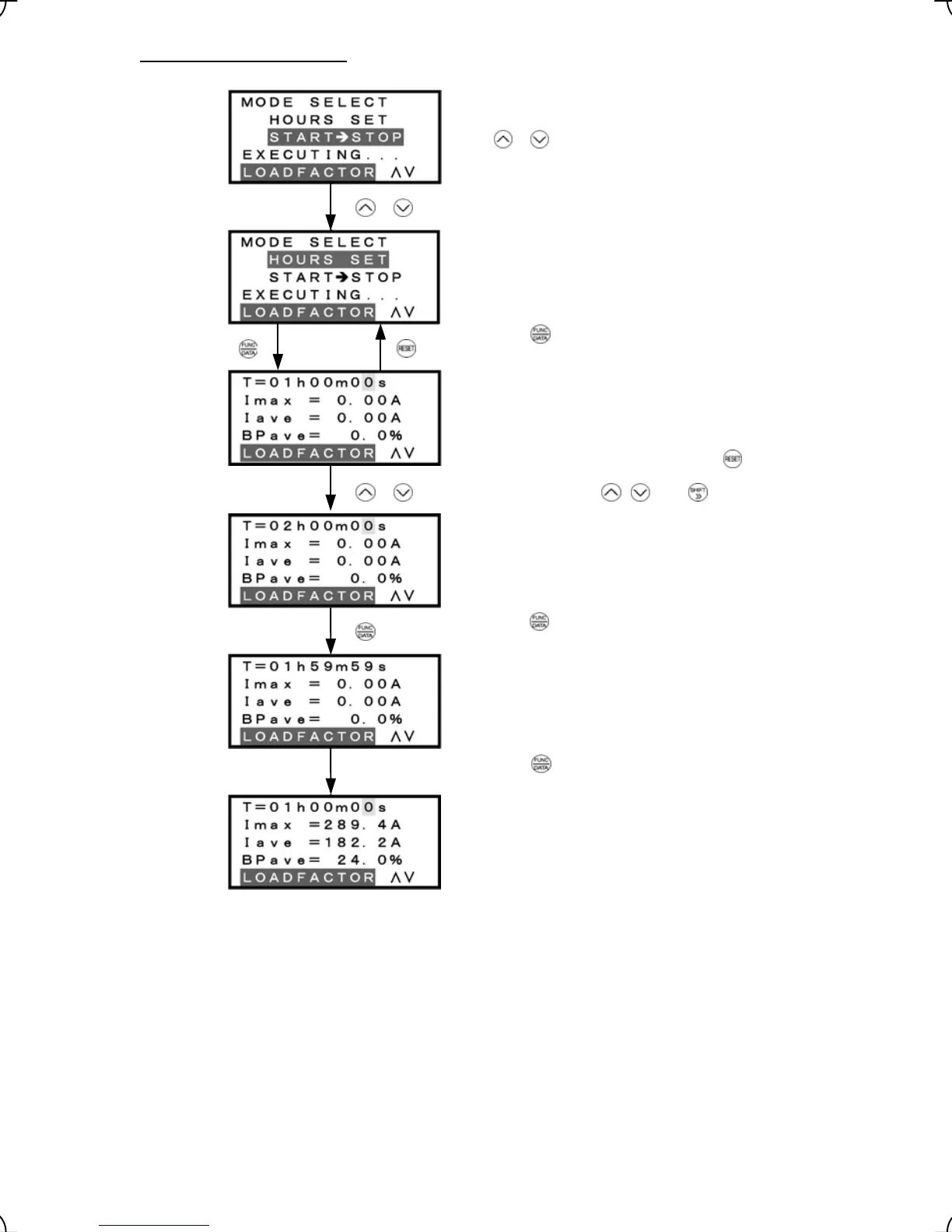
2) Selecting "hours set" mode
Mode selection screen
Select the target mode of measurement by moving the cursor
with
/ keys.
Set time duration (Default: 1 hour)
To go back to Mode selection, press the
key.
Measurement in progress (remaining time)
While the measurement is in progress, the remaining time is
displayed.
Specified duration
Max. output current
Average output current
Average braking power
[Display of measurement
results]
Figure 3.25 Screen Transition for "Hours Set" Mode
Press the key to establish the target mode of
measurement.
Set the duration with , , and keys.
Press the key to establish the duration and start
measurement.
When the key is pressed or the measurement duration
has elapsed, the measurement stops, displaying the results.
/
/
3-36



 To Next Page