-14-
Pan-tilt & Zoom
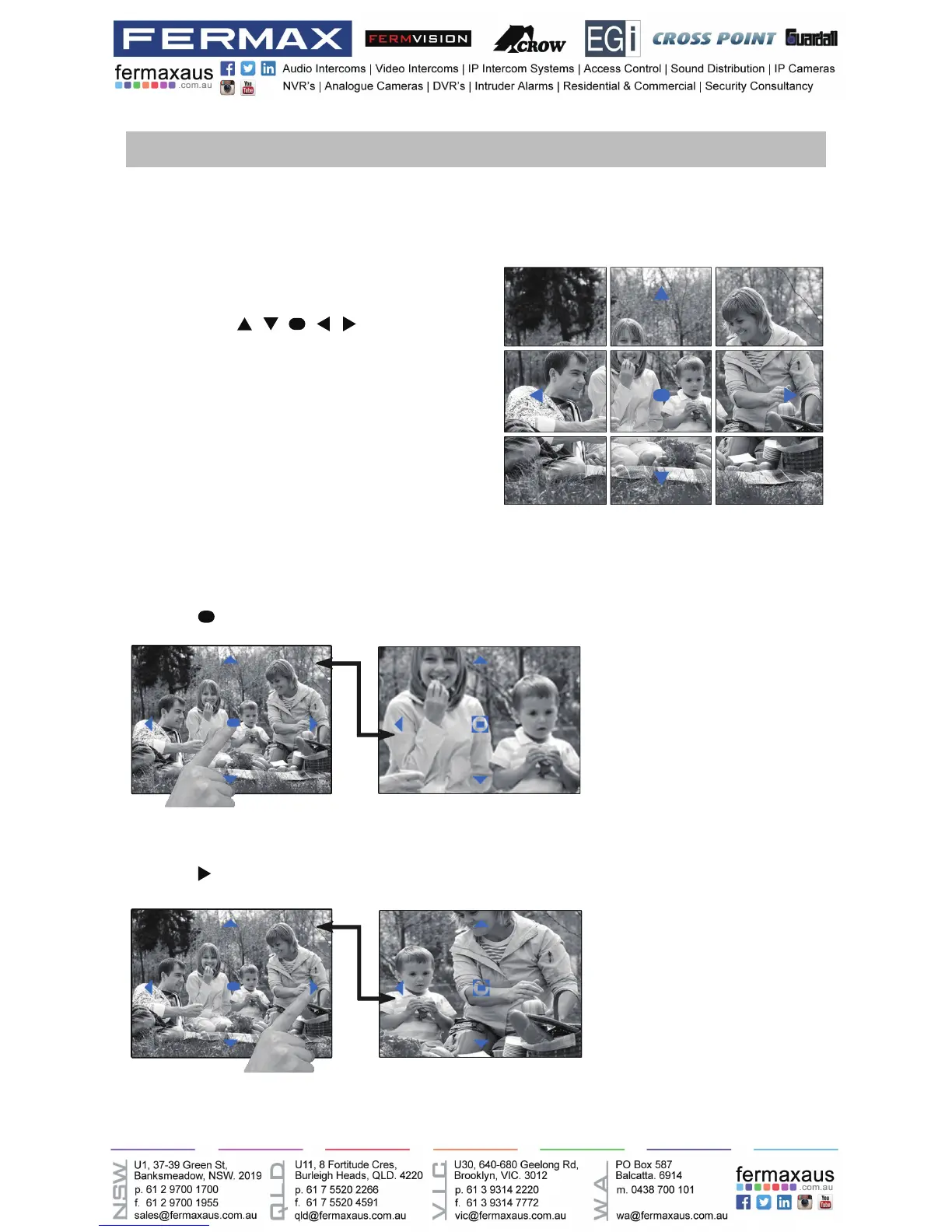
It is available to adjust the display mode for viewing images at a sh-eye door station by using
the 5 direction pad button.
Here are some examples:
• Touch
icon to zoom the center position.
Note:
1.The zoom&pantilt function should make effective
withsheyedoorstation.
2.The edge of pantilt image will not be displayed.
When an image at a door station is
displayed,move to the desired position
by touching on the
screen to view the image in zoom mode.
• Touch
icon to zoom the right position.











 To Next Page