-31-
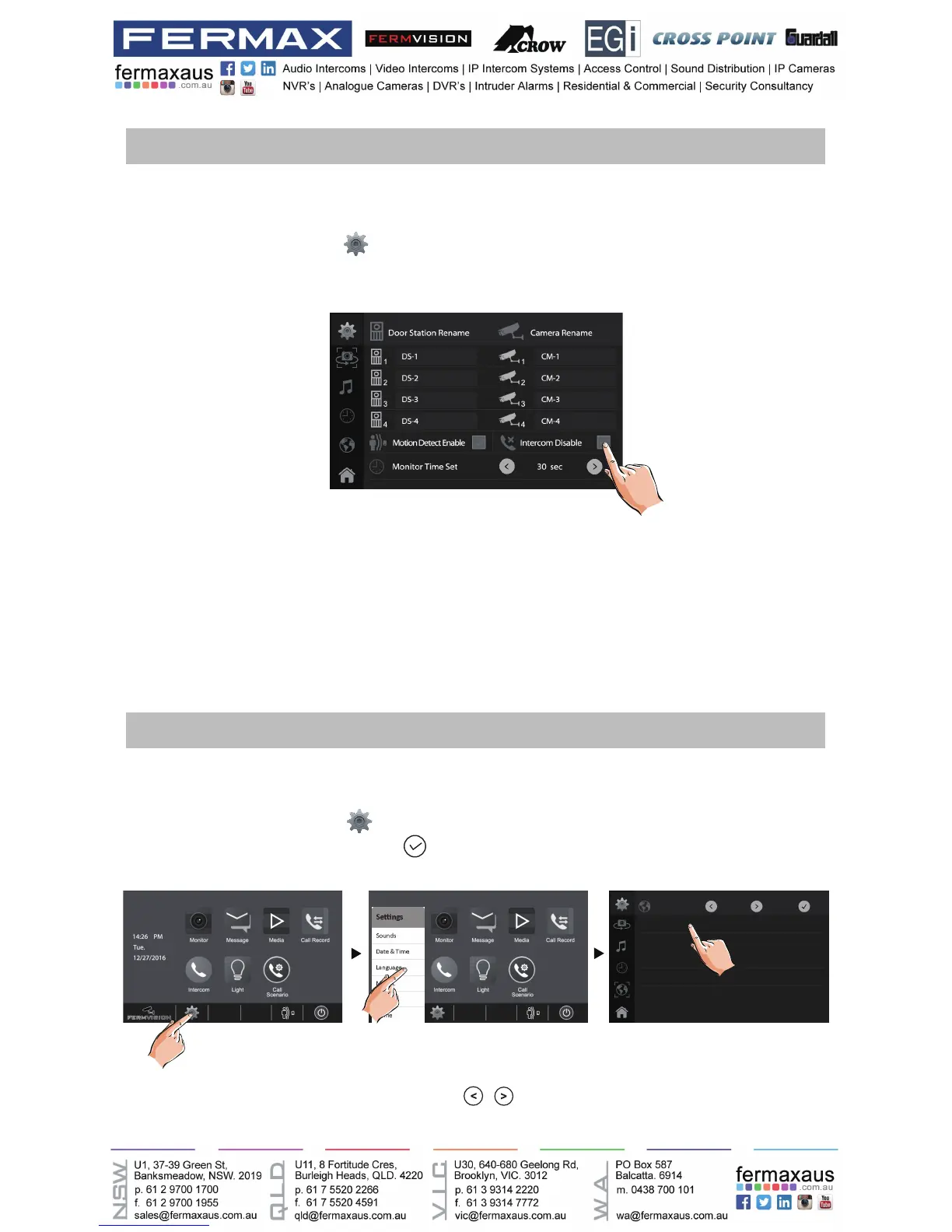
The default language can be customized.But you can change it to the language you need at
any time. Follow the steps:
•On main menu page, touch
settings icon ->[Language].
•Touch desired language and select
to save the setting.
*If the target language is not found in the window, touch / icon to scroll next page.
Changing the display language
Language
English
Turkish
Greek
Hebrew
Spanish
French
Enabling/Disabling intercom function
You can enable or disable intercom function from this monitor.
1.On main menu page, touch
settings icon ->[More...].
2.If select Intercom Disable item,the intercom function is forbidden.
*In default setting, intercom function is enable for the monitor.











 To Next Page