-40-
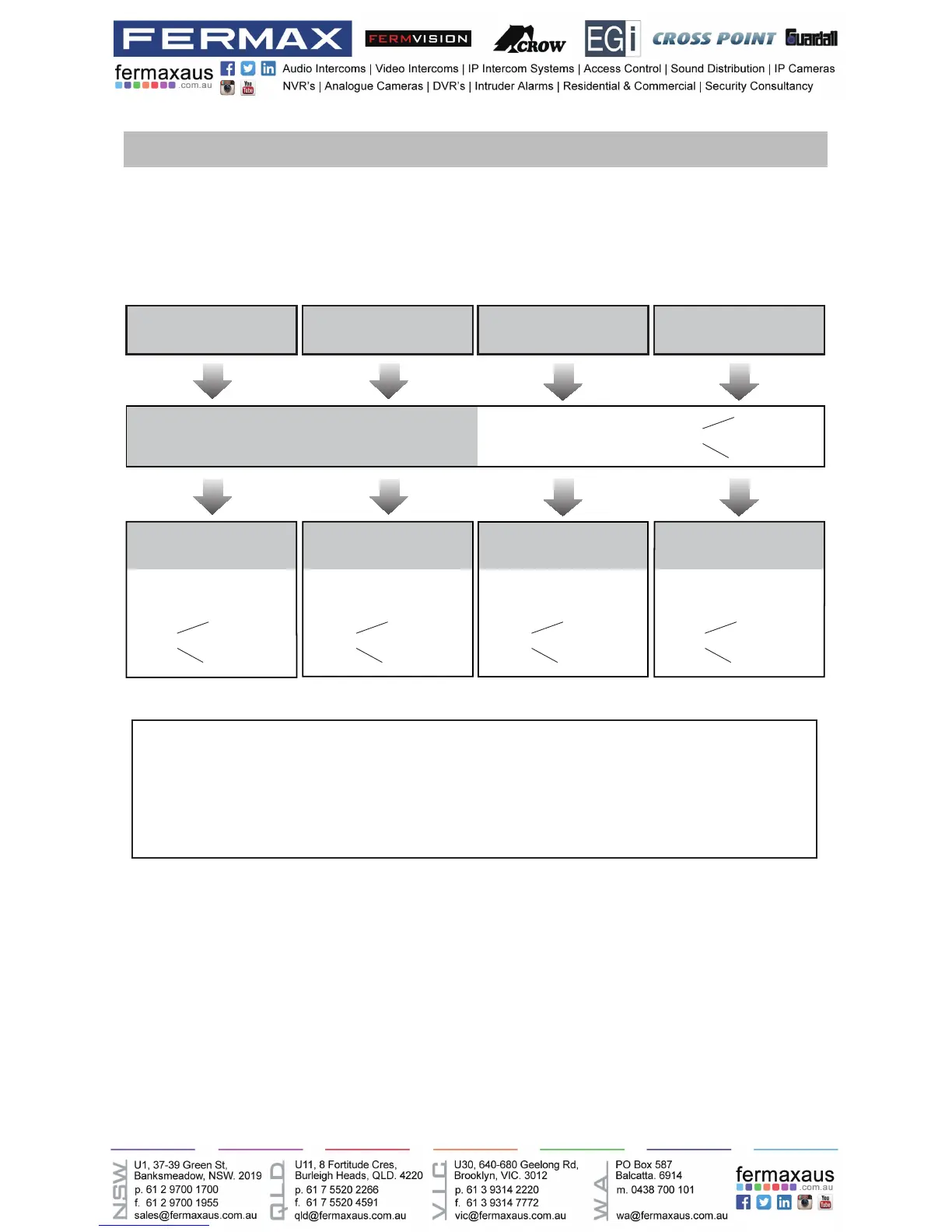
Setting Door Station Address
Total4addressescanbecongured.Itcanbemodiedeitherbeforeorafterinstallation.
0 is default, to change the setting, please follow the steps:
UNLOCK Indicator:OFF
TALK Indicator:OFF
Buzzer
Beep+, Beep
UNLOCK Indicator:OFF
TALK Indicator:OFF
Buzzer
Beep+
In standby mode, press
KEY_SET button once
Press KEY_1 button to set
the first door station.
Press KEY_2 button to set
the second door station.
Press KEY_3 button to set
the third door station.
Press KEY_4 button to set
the fourth door station.
UNLOCK Indicator:OFF
TALK Indicator:OFF
Buzzer
Beep,Beep
UNLOCK Indicator:OFF
TALK Indicator:OFF
Buzzer
Beep,Beep,Beep
UNLOCK Indicator:OFF
TALK Indicator:OFF
Buzzer
Beep,Beep,Beep,Beep
ID=0,1
st
door station ID=1,2
nd
door station ID=2,3
rd
door station ID=3,4
th
door station
• If setting mode has not been exited, you can change the address of door station by pressing KEY1~4
freely.
• The LED_NAME indicator will always blink until exit out the setting mode.
• If without any operation in 10 seconds, it will exit out setting mode automatically.
• In this step,press KEY_SET button four times to exit out the setting mode manually.











 To Next Page