-8-
Quick Guide
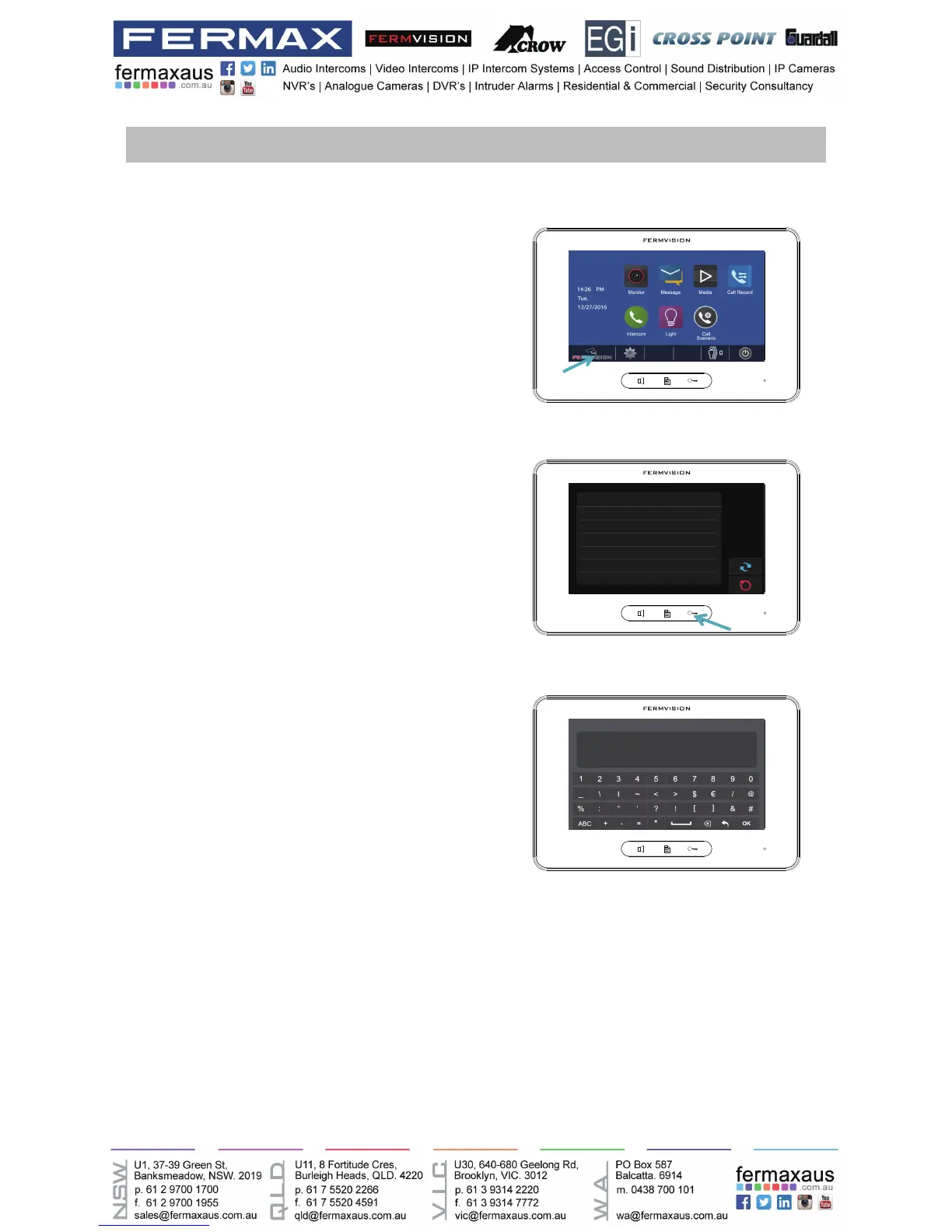
Turn on monitor, press the Fermvision logo
located at the bottom left of the screen (Figure
1), and then hold down the key button (right
hand side of the main button) (Figure 2) until
a new menu comes up, which is shown on
Figure 3.
Use Table below for Dip switch Addressing.
Master – Addressed as 0
For slave monitor 1 Addressed as 1.
For slave monitor 2 Addressed as 2.
1. Accessing to programming menu – Monitors
2. Programming Monitor address (When using more than one monitor):
Figure 1
Figure 2











 To Next Page