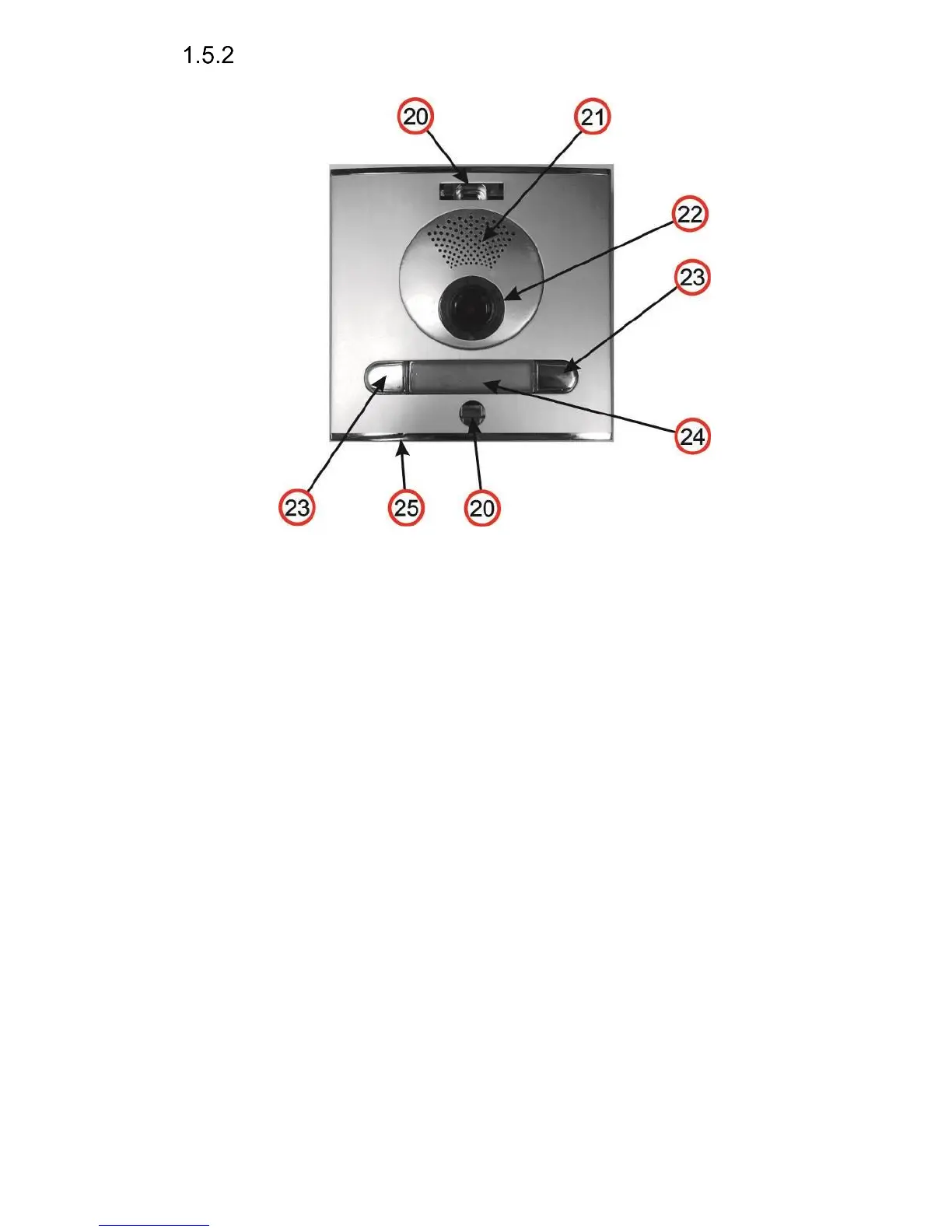
Front panel
20. Mounting holes for holding the front panel. After installation close the top
hole with a supplied plastic cover with Fermax logo. The bottom hole is
covered with a supplied silver colour cover. Both covers and screws are
always delivered as accessories with the doorphone.
21. Speaker.
22. Camera wide angle 120° with illumination white LEDs and an ambient light
sensor for swtching on the illumination LEDs.
23. Push buttons which always come soldered on the main board. Depending
on the type of front housing you use them or do not use them (defined during
the programming-mapping sequence of push buttons)
24. Name card, exchanging a name card is described later on. The name car dis
illuminated with white LEDs (the illumination can be deactivated)
25. Microphone














 To Next Page