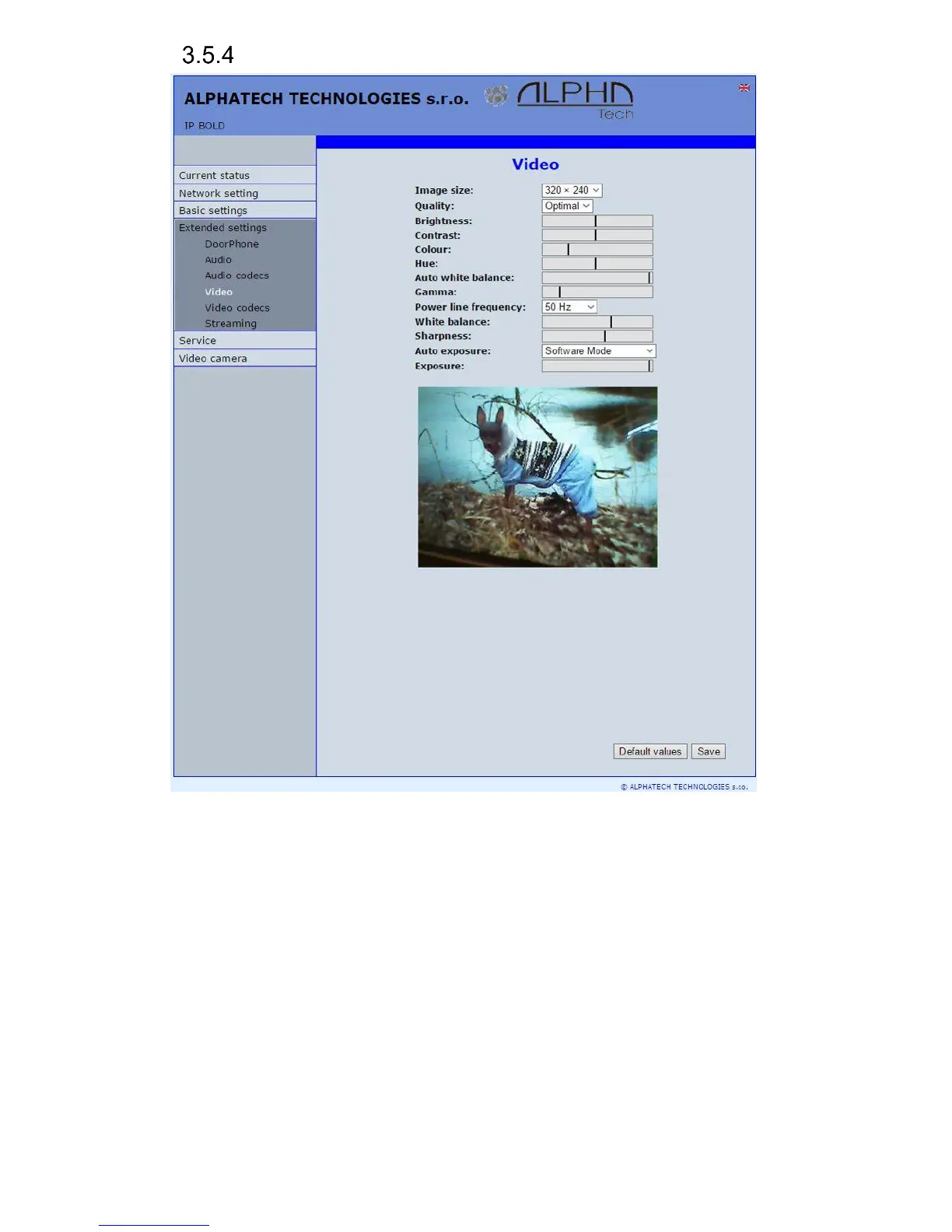
Video setting
After performing of changes please don’t forget click on „Save“.
Image size– image size selection. Stream H.263 knows just CIF resolution
(352x288) so bigger image is cut and smaller image is framed
Images per second – this setting concern mainly image transmission to WEB
browser. For H.263(4) is flow control flexibly according processor and
network workload and it is in range 5-15 pictures/sec. Maximal flow is
possible rejected by choice Low – Optimal – Full.
Further setting is standard image parametres petting and reset is immediatelly
visible in Windows screen.
Auto exposure - a choice between three balancing exposure image.
1. Manual mode – you set the exposure manually using the slider
Exposure at the bottom














 To Next Page