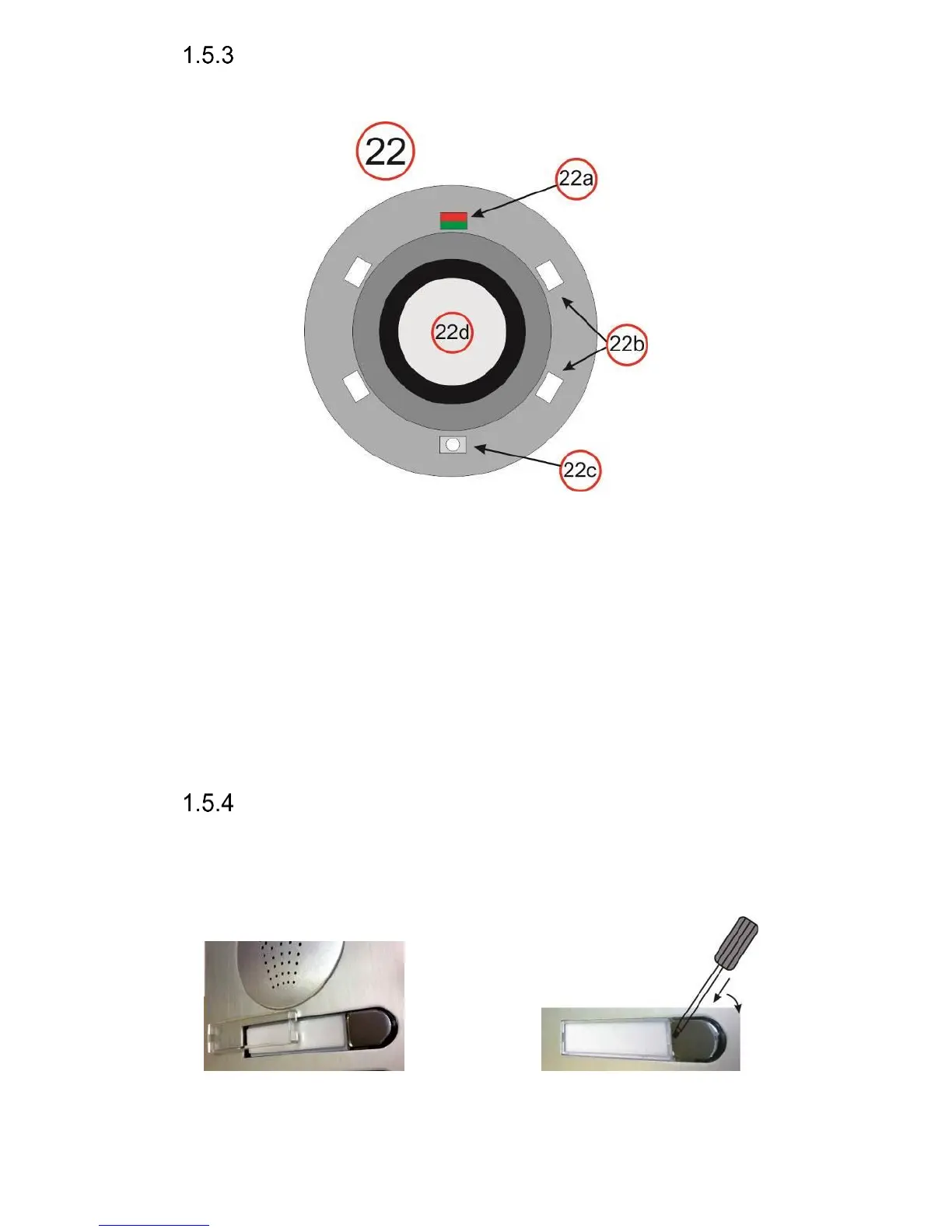
Camera (22)
On the figure below and the previous figure above (22) – detailed description
(valid for camera models only):
22a Two-colour LED for status indication. Red=establishing a call, Green=active
call, Orange=a switch is switched on (you need to set acoustic signalling of
the switch)
22b White LEDs for illumination of the space in front of the camera
22c Sensor of ambient surrounding illumination for controlling of name cards
illumination and camera illumination
22d Objective of the camera. View angle is 120°, max. resolution 640x480.
Replacement of name cards
The name cards are removed from the front of the doorphone as shown
on the figure below. Be careful when opening the front plastic cover to avoid
damaging or scratching the front panel or the plastic cover of name cards. The
name card cover is actually a tray where the label paper must be loaded.














 To Next Page