Parametres programming
Parametres programming is performed by ordinary WEB browser.
(Caution! version of IE V7 and lower are not supported).
WEB interface access
For successful display of WEB interface of IP Fermax door entry we go
through some details.
Field length - names, titles, codes, passwords have fix length 40 characters.
- URL and etc. have max length 255 characters
What you should know
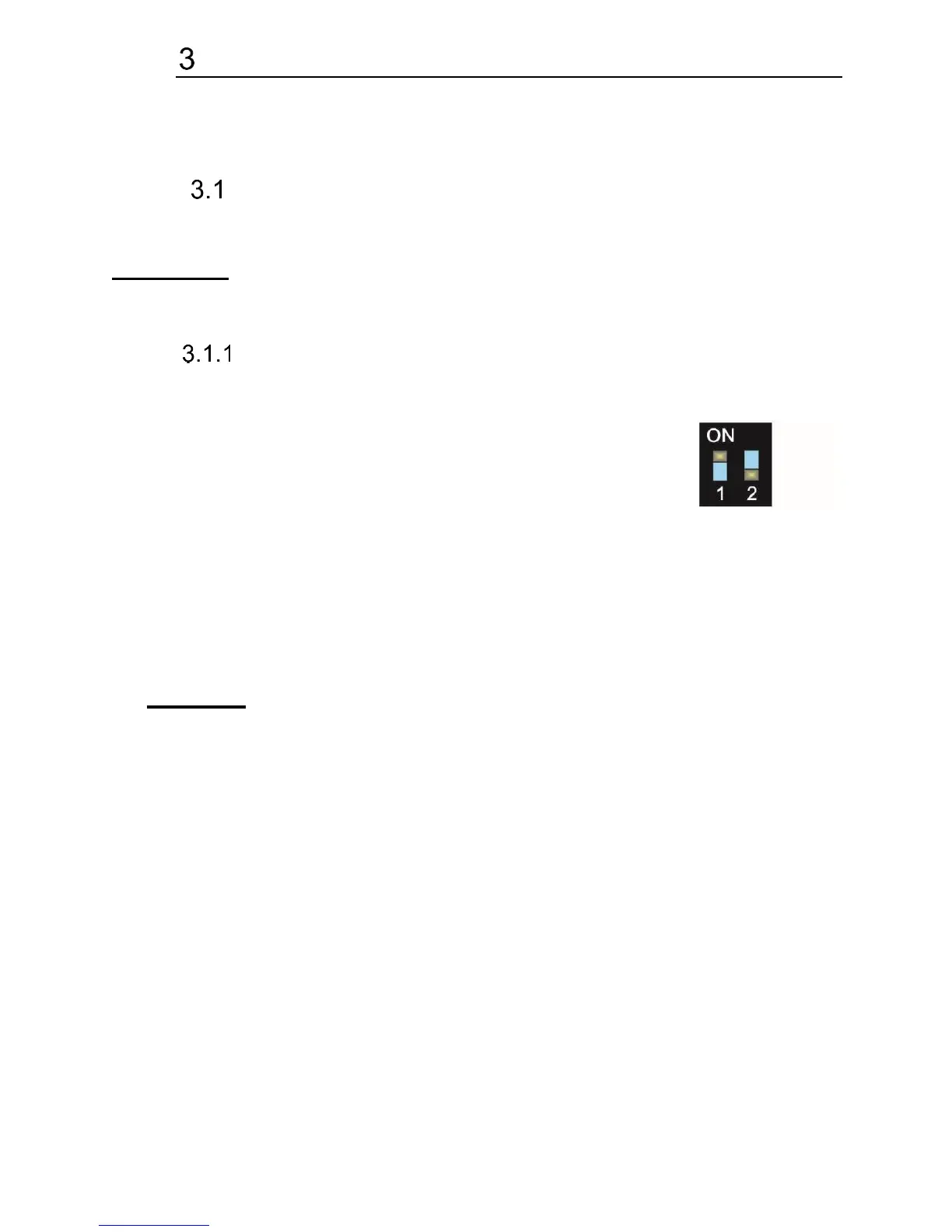
In doorphone IP Fermax is a double DIP switch. Individual switches should
be in the positions shown.
1 – on
2 – off
Meaning of each switches:
1. Always position on, this switch is only used in the manufacture or repair
service.
2. If the position on at power (or reset) so in doorphone is set the default
IP address 192.168.1.250 and uses the default style. The name is admin
and the password is 1234. To see the video is the name video and
password 1234 (if required). The operating position is off.
Warning: If you get into a situation that you do not know the IP address set
in IP Fermax or have forgotten your password, so there is reason to use the DIP2
switch, switch it to the ON position and restart IP Fermax. Then you change the
settings eg. Passwords or network settings. Remember to switch DIP2 into
operating position DIP2 = off and click save and restart. After rebooting, IP
Fermax is now all set according to the changes.
You should also dedicate attention into which PC network you are
connected. Default door entry IP address is 192.168.1.250.
When is your PC in network setup also on segment 192.168.1.xxx then might
caused a problem in network just by same IP address etc. 192.168.1.250.
In this case we recommend temporarily disconnect device from network.
When your PC is setup to different network segment than 192.168.1.xxx two
possibilities are available:
1. In PC you have system Windows 7 or 8, then you can setup „network
setting“ – „Protocol IP version 4“ – „Property“ – specify“ and here add IP
address in PC segment of door entry for example. 192.168.1.10














 To Next Page