2.8 Diagnostics options
The module supports various diagnostics options depending on the configuration and parameterisa-
tion of the automation system CPX-E.
Diagnostics option Description Detailed information
System-specific LED
indicators
The system status and errors are displayed dir-
ectly on the module via LED indicators.
èInstruction manual
and description of
automation system
CPX-E
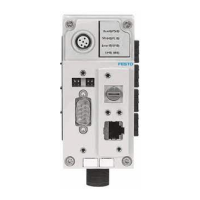
Module-specific LED
indicators
Information about CODESYS programs, Ethernet
and EtherCAT connections is displayed on the
module via the LED indicators.
è Module-specific LED
indicators
Festo software Malfunctions or errors are displayed directly on a
PC, meaning that diagnostics is also possible
from a higher automation level.
èOnline help for soft-
ware
EtherCAT Diagnostics as part of the EtherCAT function via
the network. Detailed module-related and chan-
nel-related error detection by means of control
software.
è 2.8.2 Diagnostics via
EtherCAT
Web server Diagnostics via web server è 2.8.3 Diagnostics via
web server
Tab. 9 Diagnostics options
Further diagnostic options using CODESYS are explained in the online help for the CPX-E-CEC control-
ler.
2.8.1 LED indicators
The module-specific LED indicators are described in this document.
The system-specific LED indicators are described in the documentation for the automation system
CPX-E è 1.1 Applicable documents.
Function
10 Festo — CPX-E-CEC-... — 2018-09




 To Next Page