2. Commissioning
2−28
Festo P.BE−CPX−FB11−EN en 0503b
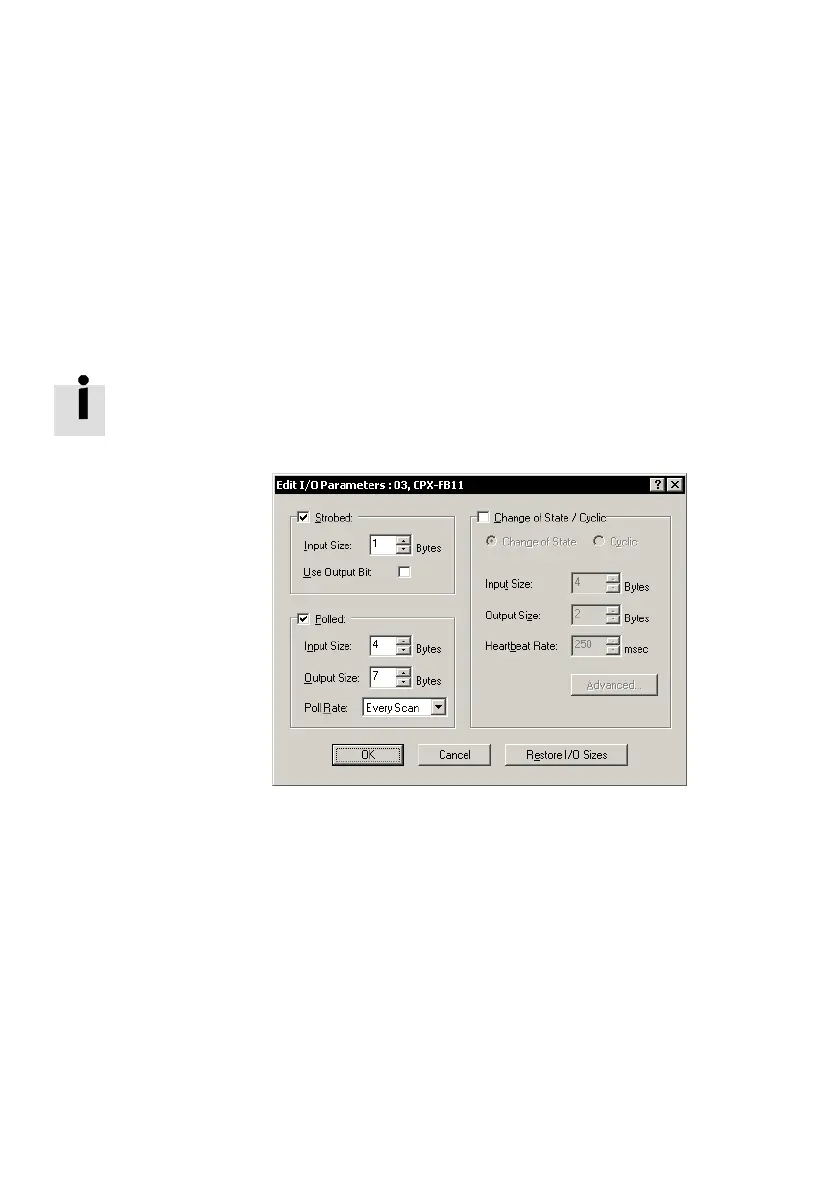
Set the I/O parameters of the slave
1. Double−click a slave in the Scanlist" (Fig.2/6).
The dialogue box Edit I/O Parameters" will open.
2. Determine the I/O parameters of the slave and confirm
with OK.
In online mode you can read out the number of available in
puts and outputs via the system data Rx size" and Tx size"
(see also section 2.3).
Fig.2/7: Determining the I/O parameters of the slave
(example)
As an example, the CPX terminal’s I/O parameter from
example 3 are set:
Communication type Strobed" for diagnosis information
Status bits (1 input byte)
Communication type Polled" for I/O data:
4 input bytes for status bits and CPX input modules,
7 output bytes for CPX output
modules and the pneu
matic interface.



 To Next Page