© 2008 Festo Corporation 32 U
Getting Started with Festo MecLab
Stack Magazine Station
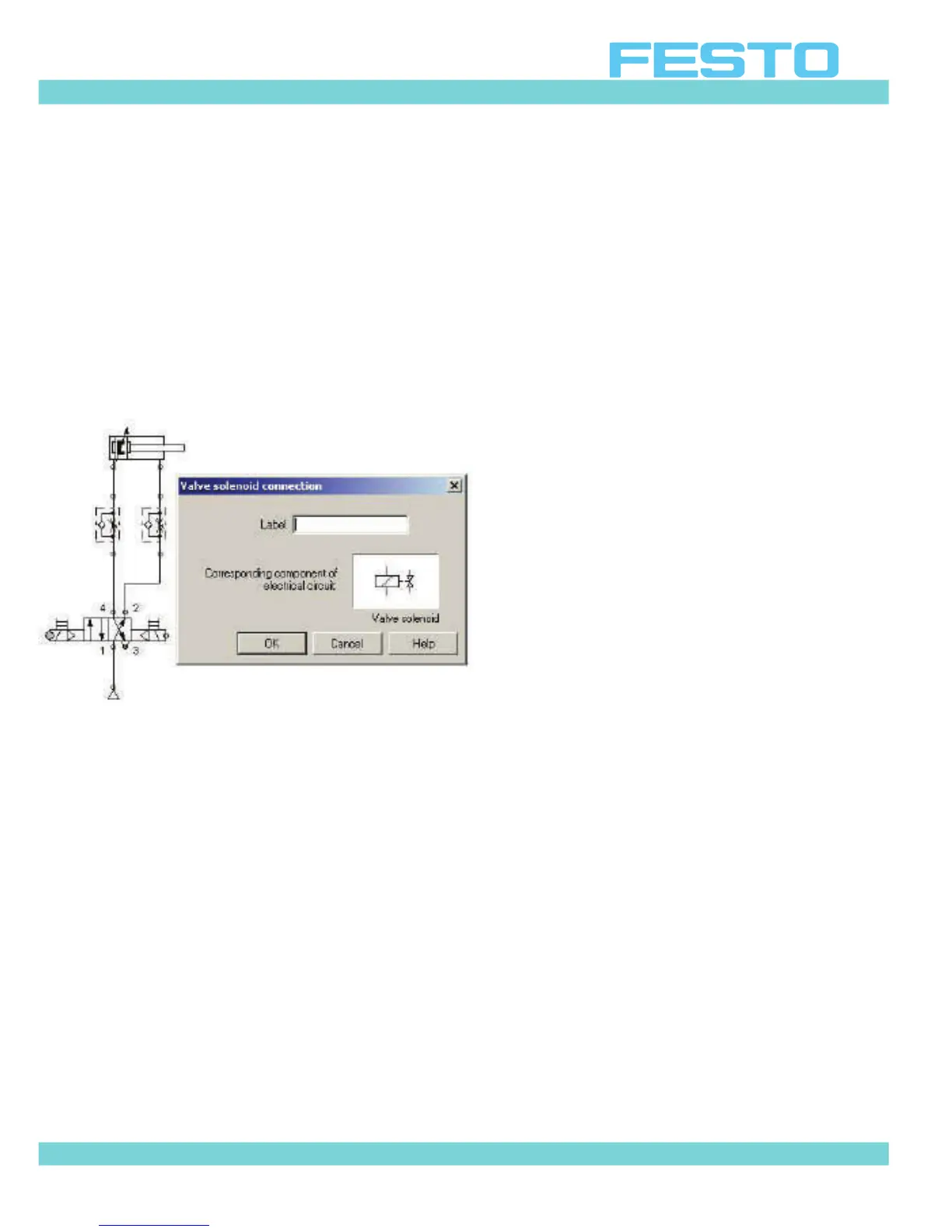
To link valve solenoids with the electrical circuit simply label the valve solenoid symbol (in the
pneumatic diagram) with the same label as the solenoid coil symbol (in the electrical dia-
gram).
Right-click on the node of a valve solenoid (look for a small circle at the end of the solenoid
symbol). A menu will open. Select “properties". Then type in the designation in the “label”
field. The left-hand valve solenoid is normally called 1M1 and the right-hand 1M2 as per the
connection table.
Figure 4.12: Entering a label for the valve solenoid


 To Next Page