© 2008 Festo Corporation 67 U
Getting Started with Festo MecLab
Handling Station
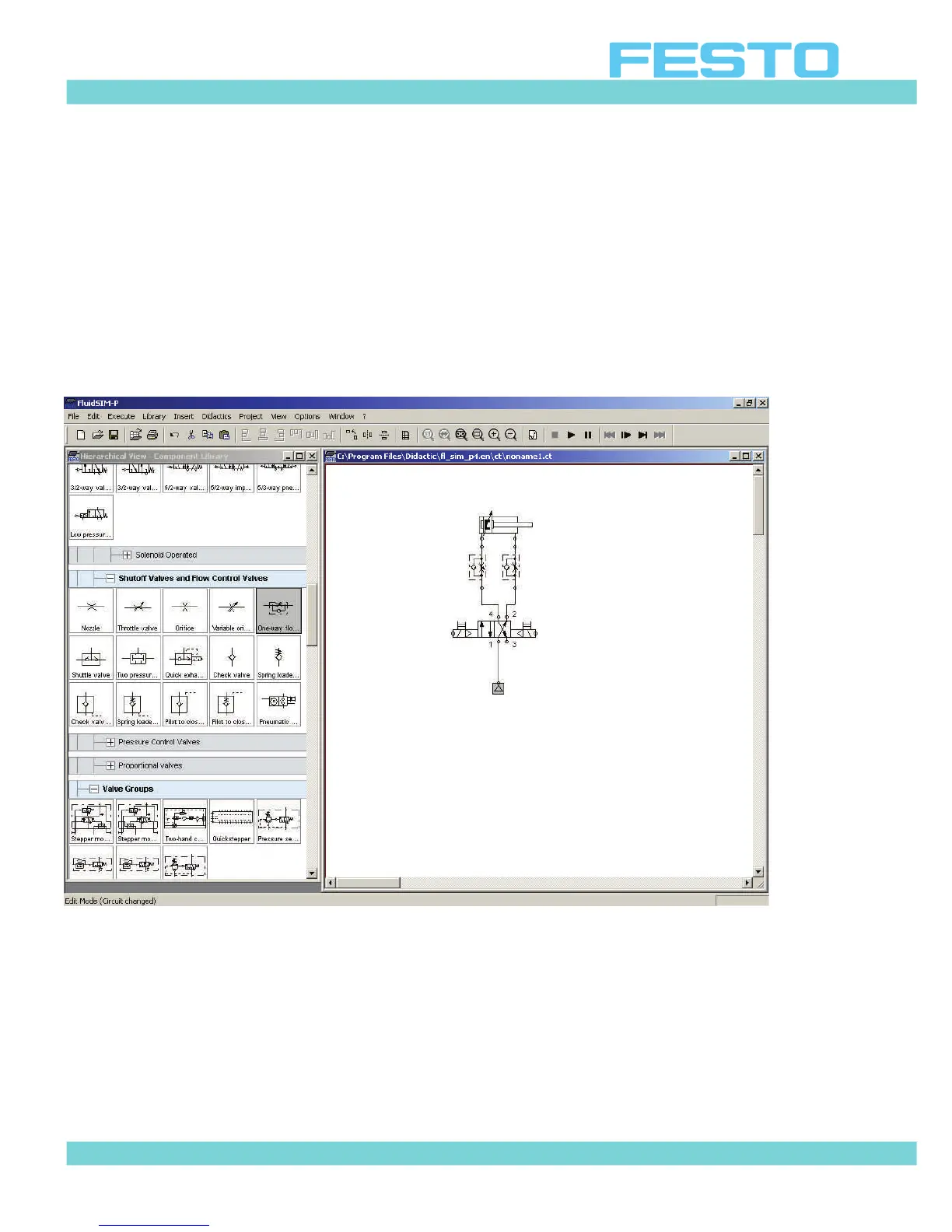
Step 4: Install tubing between components
Drag the mouse over a the node point of a symbol until a crosshair is displayed. With the left
mouse button pressed, move to the node point of the next symbol. Release the left mouse but-
ton as soon as the crosshair symbol appears.
The pneumatic circuit diagram should look as follows:
Figure 6.7: Installing the tubing for components


 To Next Page