© 2008 Festo Corporation 75 U
Getting Started with Festo MecLab
Handling Station
Testing the solution on the handling station
To connect the handling station to FluidSIM®, the EasyPort must be plugged into the multi-pin
plug distributor on the station, to the pc (using the USB cable) and to the power
supply.
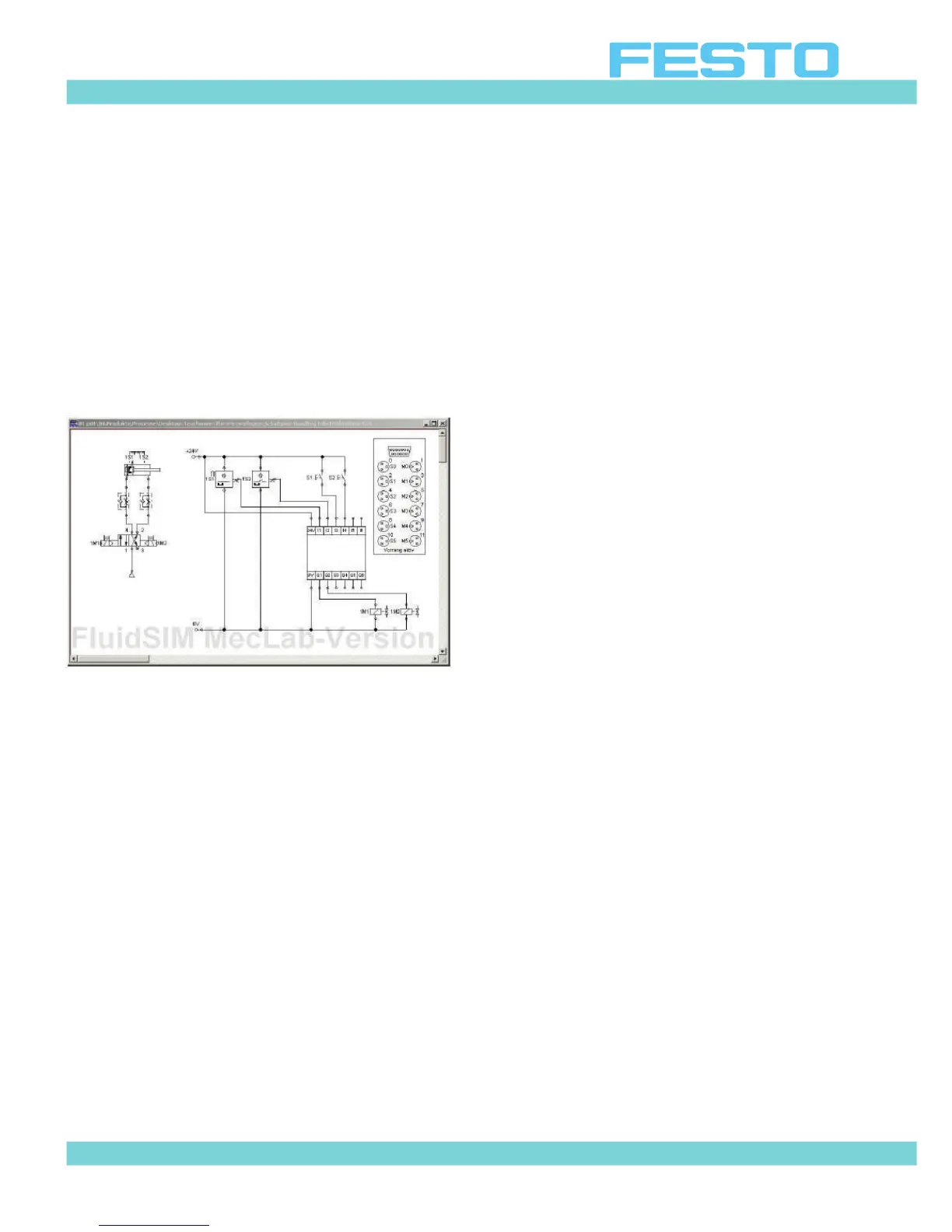
The symbol for the multi-pin plug distributor is then dragged into the workspace in the Fluid-
SIM® program.
Figure 6.17: Multi-pin plug distributor symbol for
connecting the station
Labels must be assigned in the multi-pin plug distributor. Open the symbol by double-clicking
on it (Figure 6.18).
Assign labels as per Table 6.1. Remember the labels must match those used in the pneu-
matic and electrical circuit diagrams. The distributor establishes the connection to the sta-
tion.
It is not important what the labels are called (1M1 is the normal designation. However, the la-
bel could also be "left valve solenoid"). It is important that the same labels are used for each
component that is located in both the pneumatic and electrical circuits.
Note
The "Priority for connected hardware" box must be checked. This ensures that the signals
for the actual sensors are used and not those simulated in the program.
Once the simulation is started and pushbutton S1 is pressed, the cylinder will extend.
The status of the input and output channels will be indicated in color on the distributor sym-
bol. On the actual distributor, the status of the input and output channels will be indicated by
LEDs.


 To Next Page