31
6. RETROFITTING POWERWIZARDS
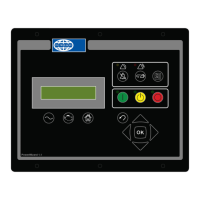
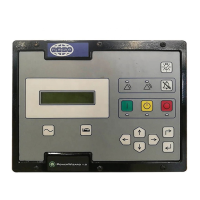
When replacing a PowerWizard or when tting a new one, ensure that the correct controller type is selected i.e. PowerWizard 1.1
or PowerWizard 2.1. The dierences between these are listed in the PowerWizard Variations section. The Electrical Connection
drawings are shown in the Electrical Connections section.
6.1 EST Availability and Licensing
The Electronic Service Tool (EST) used with a laptop provides the mechanism for servicing the PowerWizard controller. It allows
the user to display, view or change the current Conguration les (Field Replacement Files) or the base level ash les.
Therefore EST is an essential service tool for carrying out service operations on the PowerWizard.
Instructions on purchasing and licensing EST can be found on the FG Wilson Dealer website PowerUp2 or by contacting the EST
Software License and Support Coordinator.
Tel: +44 (0) 28 2826 5228
email: support_tools@fgwilson.com
6.2 Flash Files and Field Replacement Files
PowerWizard’s have two main types of les associated with them, the ash le (.s le) that contains the base code and the Field
Replacement File (.xml le) that contains the conguration information.
Flash Files:
To obtain a replacement ash le or the most recent version of a ash le contact the FG Wilson After Sales Helpdesk
Tel: +44 (0) 28 2826 5001
email afterSales@fgwilson.com.
When enquiring please supply the generating set Serial Number. The Helpdesk will send you the most recent version of the le
associated with that generating set Serial Number. These les are backward compatible.
If you require the same le but in a dierent language inform the helpdesk and they will send the equivalent le in the required
language.
Available languages are: English, French, German, Spanish, Italian, Portuguese, Dutch, Danish, Swedish, Finnish, Norwegian,
Russian, Chinese, Japanese, Greek, Arabic, Icelandic, Hungarian, Turkish, Czech, Estonian, Latvian, Lithuanian, Polish, Slovak,
Slovene.
If the le is for a new job not associated with a generating set Serial Number, then the following information is required in order
to select the correct ash le for the controller.
Controller type (PowerWizard 1.1, 1.1+ or 2.1)1.
After Market ID (AMID) FG Wilson or Olympian.2.
Language3.
It is intended to have an online web based facility developed that will make these les available on line 24/7.
Note:
When a new Flash Files is loaded the configuration file remains unchanged.•
Field Replacement Files:
The Field Replacement Files only exist for controllers that have previously been programmed at the factory. FG Wilson cannot
create Field Replacement Files for controllers that are in the eld and that have not previously been programmed at the factory.
However Field Replacement Files can be used on more than one controller. So if the conguration you want is the same as a
previous set, the same Field Replacement File can be used.
The same procedure is used again for obtaining this le. Contact the FG Wilson After Sales Helpdesk supplying the Generating set
Serial Number and they will send you the required Field Replacement File.
Note:
If a Field Replacement File that was created for a PowerWizard 1.1 is loaded onto a PowerWizard 2.1, some of the items
on the PowerWizard 2.1 will not be congured. To congure these items open EST and select Conguration (SERVICE →
CONFIGURATION).
Field replacement les from a PW X.0 cannot be used on PW X.1.



 To Next Page