33
Using EST to load Field Replacement Files
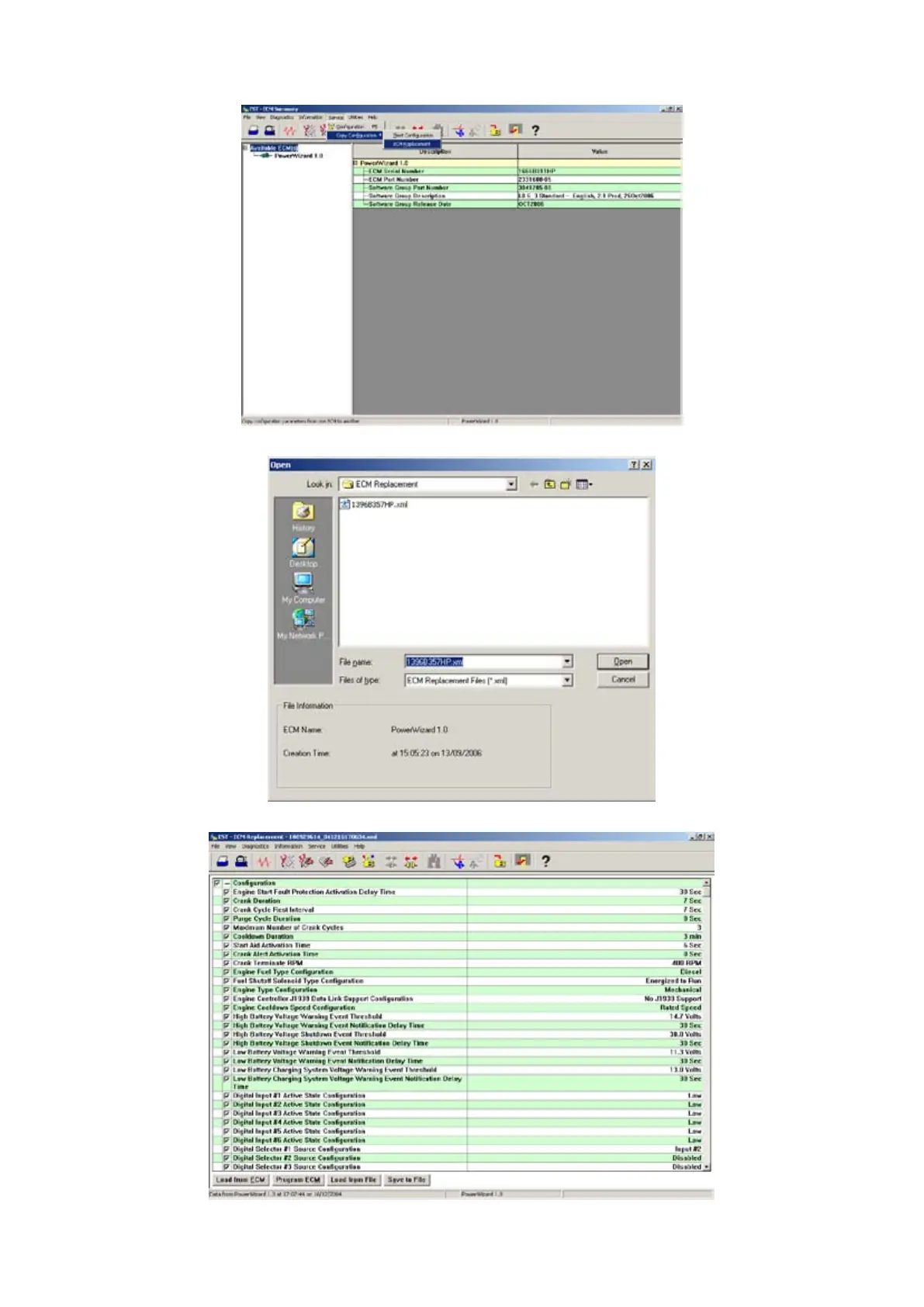
Open EST ECM Replacement by selecting the Service » Copy Configuration » ECM Replacement menu item, as shown in the 1.
figure below.
Select the Field replacement File (.xml file) that you want to load as shown in the screen below.2.
The following screen will then be displayed showing the conguration values.
Select Program ECM to load the configuration values onto the controller. Once the configuration values have been successfully 3.
loaded the message “Programming Complete” will be displayed.



 To Next Page