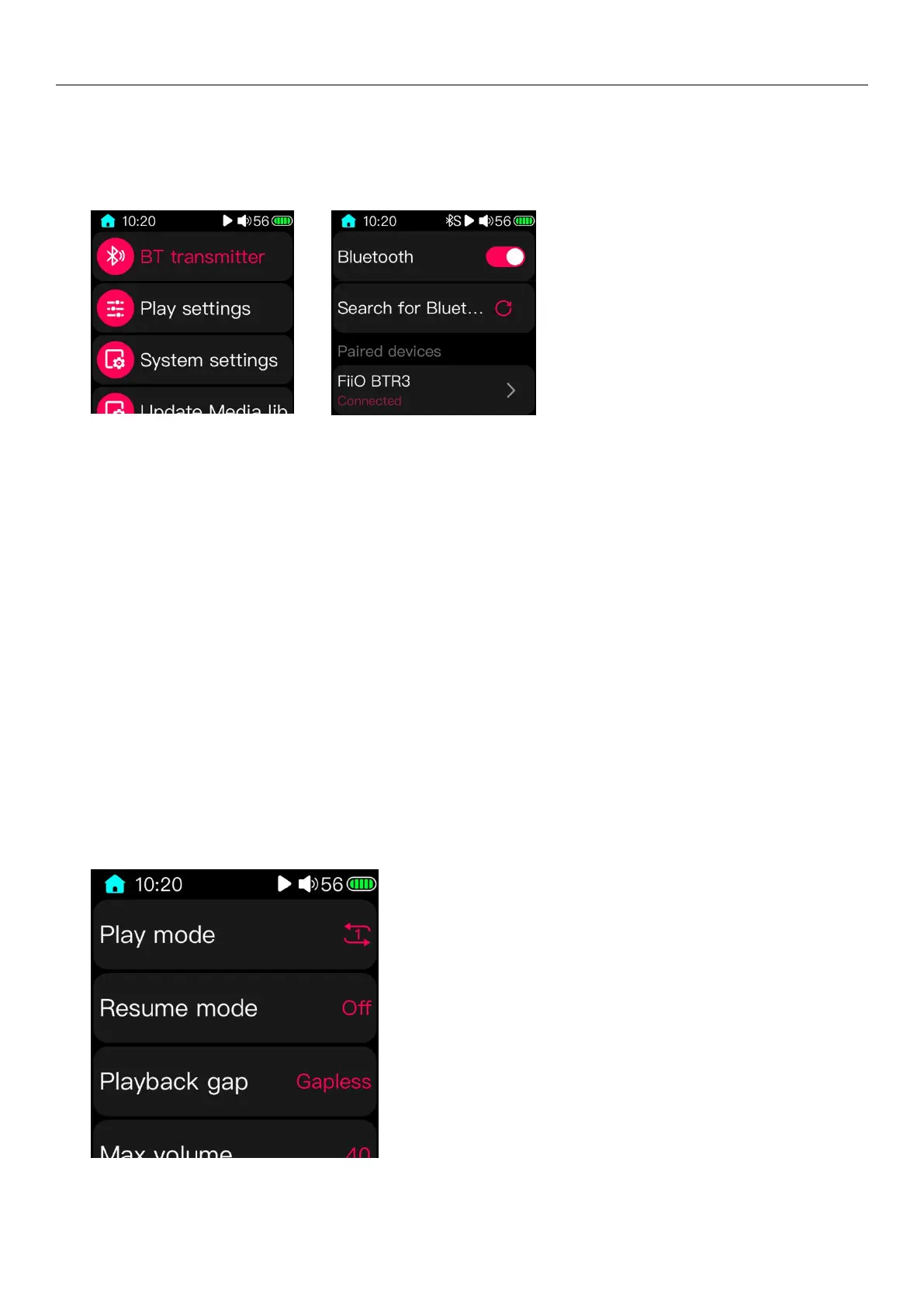
3.13 Bluetooth transmitter
In the Bluetooth transmitter page shown above, click the switch in the upper right corner to turn on the Bluetooth
function. The status bar will display the Bluetooth icon after turning on the Bluetooth function. Click "search for Bluetooth
device" on the page, and the M5 will start to search for surrounding devices. The found devices' name will be displayed in
the "paired devices" column. Click the device name to connect the Bluetooth device. After the device is connected, the
device name will be displayed as "connected", as the picture shown above.
For the paired devices page, click the ">" icon on the right of the device name to enter the device deletion page. Click
"forget device" and confirm to remove the device from the list. If you do not want to remove the device and just want to
disconnect the device you are currently connecting, you can click the device name. After confirming the operation, the
device will be disconnected. Click the device name again when you need to reconnect the device.
After the Bluetooth headphone is connected, the headphone inserted in the M5 will be no output. The output will be
the Bluetooth device instead
(Note: only the devices like Bluetooth headphone are supported in the Bluetooth transmitting mode. The other types
of devices, such as mobile phones, cannot be recognized; In addition, Bluetooth transmitting mode is not supported under
USB DAC)
3.14 Play settings



 To Next Page