could read the lyric of current playing music (The song lyric file need to be copied to the same directory of the song).
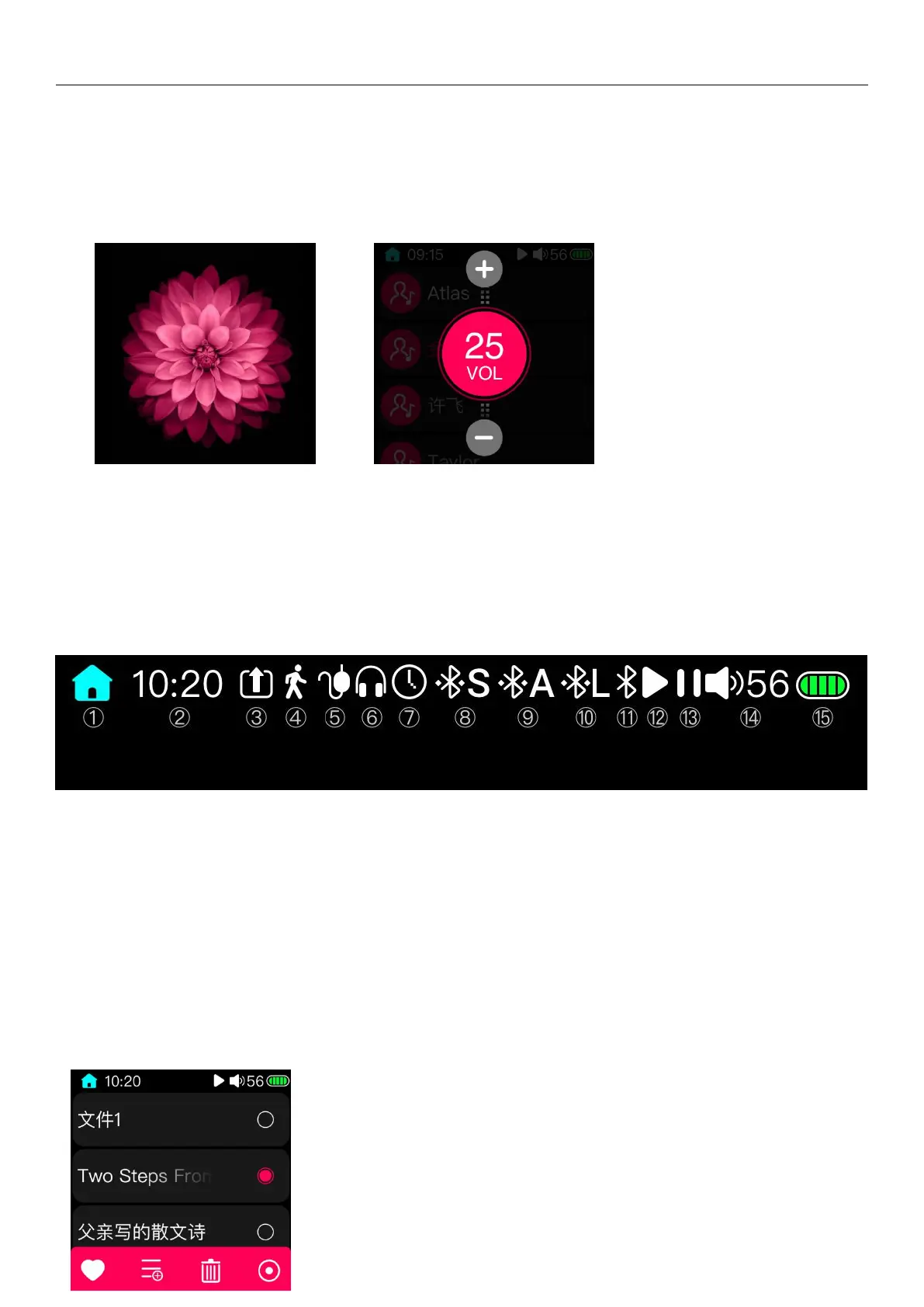
In the above three pages, click the blank position to enter the full-screen cover display page, as shown in the picture
below.
In the full-screen cover display page (as shown in the left picture above), you can switching the music by sliding left
and right. Slide up and down can bring up the volume adjustment page. You could adjust the volume by sliding up and
down. (As shown in the right picture above.)
5 Shortcut menu
5.1 Home
In the status bar shown above, the first icon is the Home button. Click this icon on any page, you can quickly return
to the main page.
(Note: this icon will not appear on some page (such as the storage page after connecting to the computer, USB DAC
page, etc.). This is a normal phenomenon, not a software problem.)
5.2 Right shortcut menu



 To Next Page