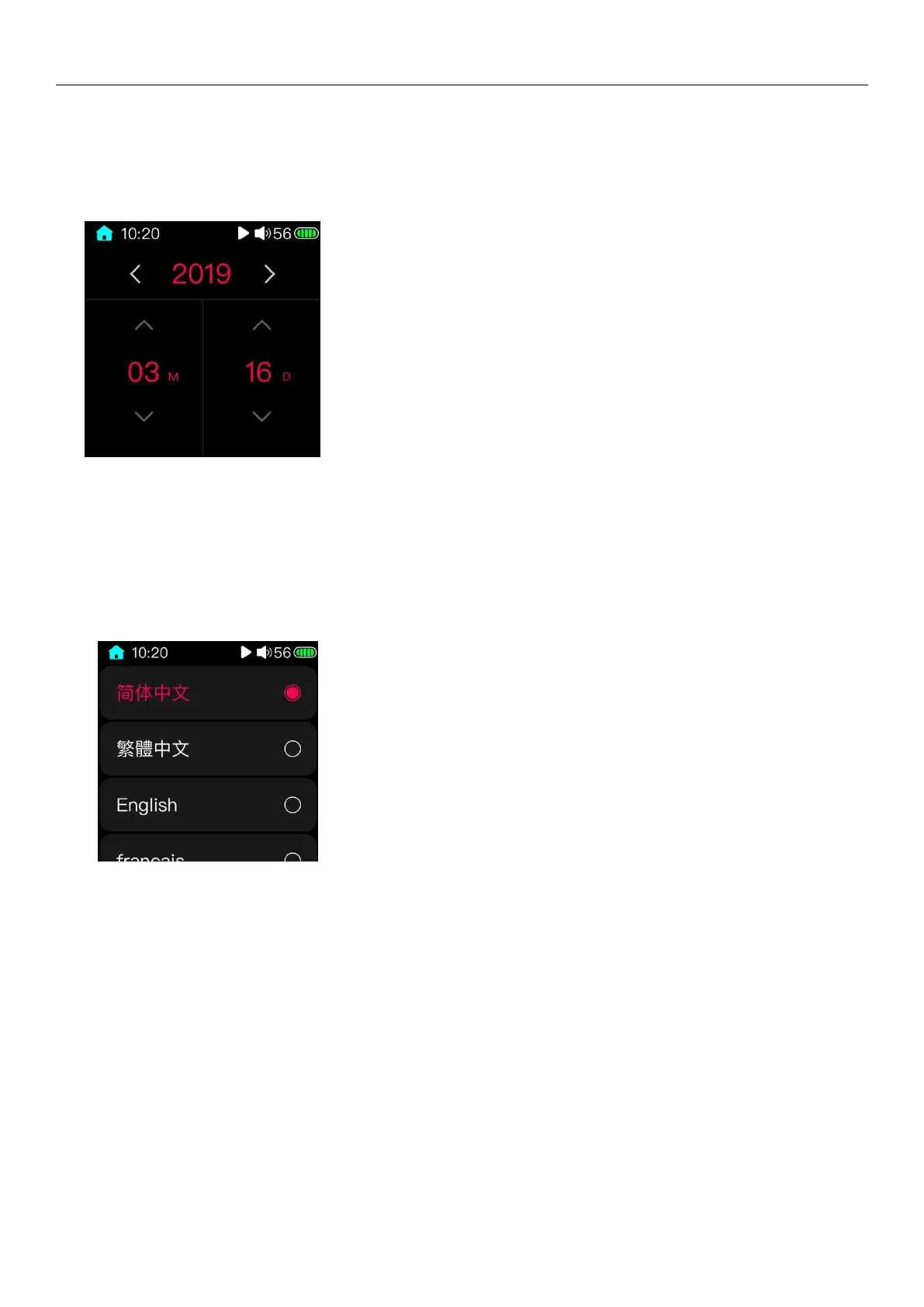
3.15.16 setting the date
After entering the date setting page, the display will display as shown in the picture above. Click the arrow icon on the
display to set it to the corresponding date.
(Note: there is no week setting for M5, and the corresponding day and date will be automatically matched according to
the calendar after the date setting is completed)
3.15.17 Language
The system language display selection supports Simplified Chinese, Traditional Chinese, English, French, German,
Japanese, Korean, Russian, Spanish, Thai, and Italian. After selecting the desired language and exiting this page, the
system will switch to the corresponding language display.
3.15.18 Factory restore
When it is recognized that there is a Micro SD card insertion state, select format and confirm, the external Micro SD
card will be formatted into FAT32 format, formatting will cause all files in the Micro SD card to be lost. Please choose to do
backup work before formatting, careful operation.
3.15.19 Restore factory settings
When the system is abnormal or you need to restore the player to the factory default settings, you can use this item
to restore the factory settings. After restoring the factory settings, the artist, album, style, and recently added songs of the
classified category will be cleared. Please re-update the song library.



 To Next Page