1 Introduction
The M5 is a high fidelity digital audio player, supporting lossy and lossless music formats including MP3,WAV, WMA,
APE, FLAC, AAC,ALAC,DSD,ISO and Ogg Vorbis. A maximum sample rate of 192kHz/32bit is supported and other features
include Bluetooth and CUE sheets. The M5 also can support headphone output, Lineout, digital coaxial output and 2.5mm
balanced output. It's a portable high-performance music player. The following are some illustrations to introduce the M5.
2
Buttons and ports introduced
2.1
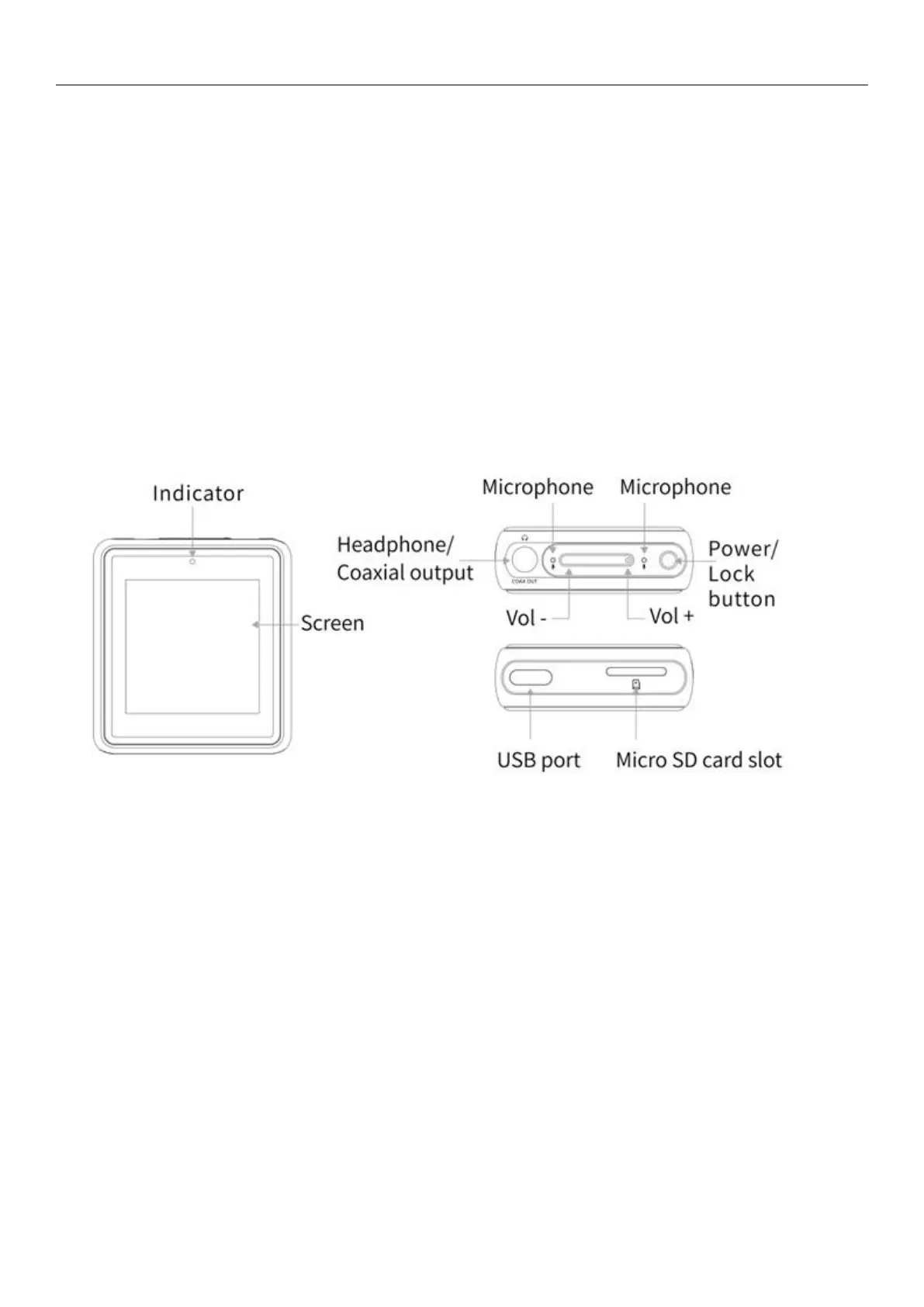
Buttons/Ports Diagram:
2.2
Button and Interface Instructions
2.2.1 Power / lock screen button
Hold the Power/Lock button to turn on the M5. Click the preferred language onscreen to enter main UI. Hold the
"Power/Lock" button while the M5 is on, click "Yes" on the pop-up power off dialogue to turn it off. Double click the
"power button" while powered on to turn screen on / off. Hold the button for about 2 seconds to power off (hold for 10
seconds for a forced shutdown).
2.2.2 Volume "+"
When the display is on, Press briefly to change volume"+"by one increment, hold down to change volume
continuously until to the
maximum.
If the player is in the playing state when the display is off, press and hold the volume"+" button to switch to the next
track.
If the player is on lock screen clock interface when the display is locked, press and hold the volume"+" button to



 To Next Page