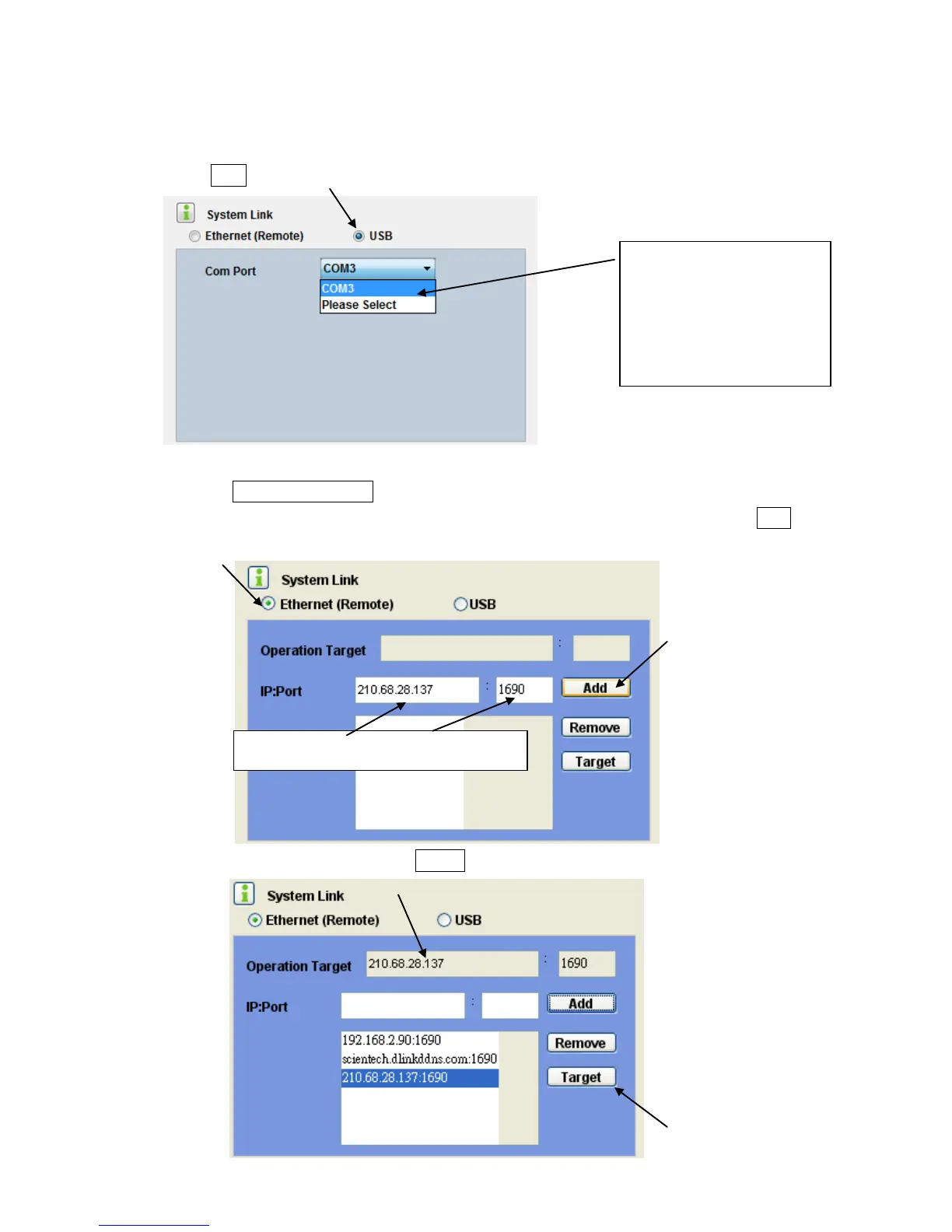
D3, Select Link
D3.1 Using USB interface to access the LS-20.
Select USB .
D3.2 Using Ethernet interface to access the LS-20
D3.2.1, Select Ethernet (Remote) .
D3.2.2, Enter the IP address or domain name and the Port number of the LS-10 and click Add.
D3.3.3, Mark the IP address and click the Target to assign this address as the operation target.


 To Next Page