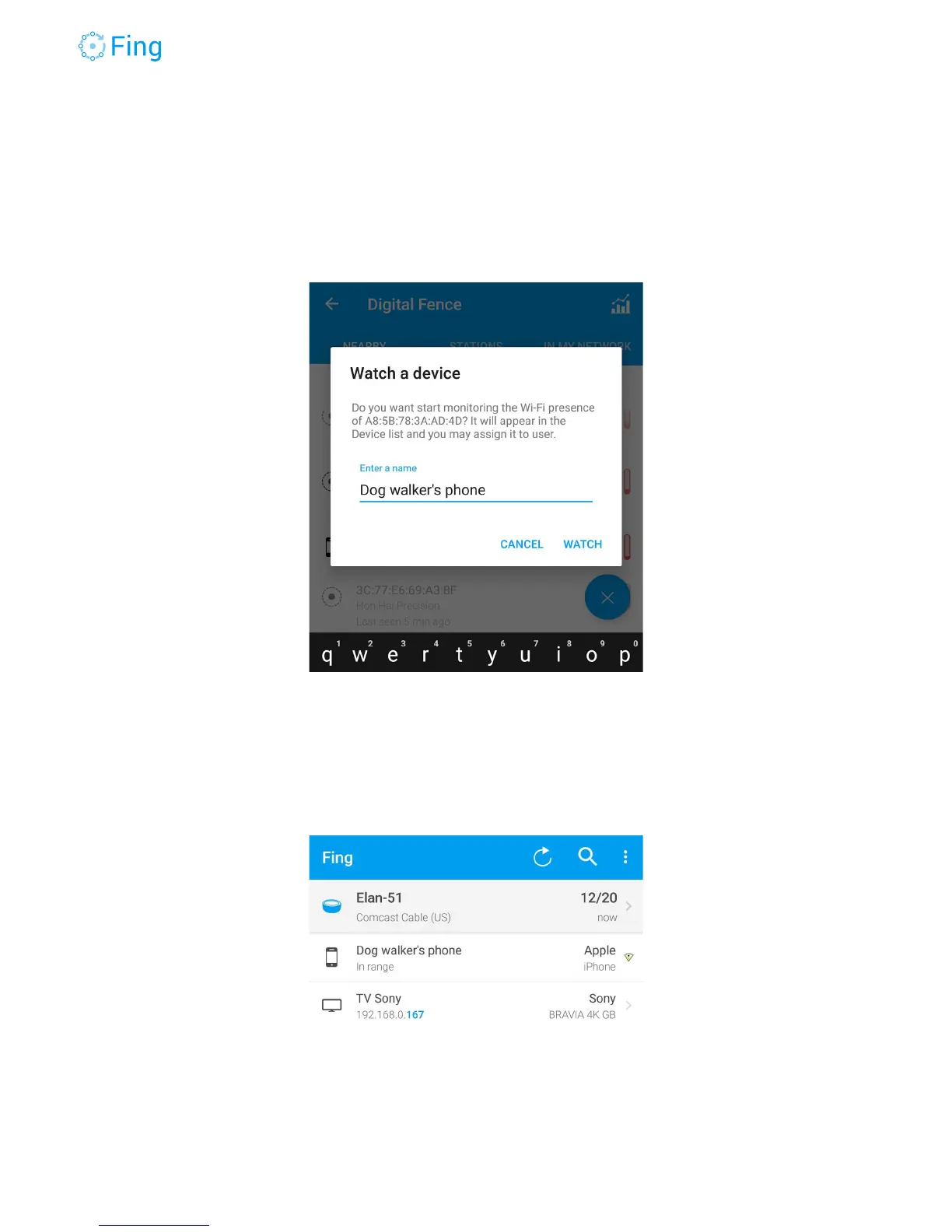
For example, if you have dog walkers coming regularly to your house, you may want to be
warned if they come at unusual times. You can open DigitalFence (NEARBY section), tap on
the element representing the dog walker’s phone and add it to the watchlist, with an appropriate
name.
When the dog walker’s phone is nearby, it will be displayed in the main Device List as “in
range”. The small green triangle to the right means that the device is not connected to your
network, it’s just nearby.
Fingbox User’s Guide - App v6.2.1 Page 56



 To Next Page