411 Communicator Document #50921 Rev. E 12/09/2008 P/N 50921:E 19
Optional Programmer
2.6 Optional Programmer
The optional Fire-Watch 411 Series DACT Programmer is used to:
switch between the digital communicator's five Modes of operation
set the digital communicator's 24 hour internal clock in Real-Time Clock Mode
program the 411 digital communicator in Program Mode
test the telephone lines interconnect in Troubleshoot Mode
return all digital communicator programming to the factory default settings in Default Mode
To use the 411 Series DACT Programmer:
1. Remove all power from the 411
2. Remove the two screws holding the 411 cover in place and remove the cover
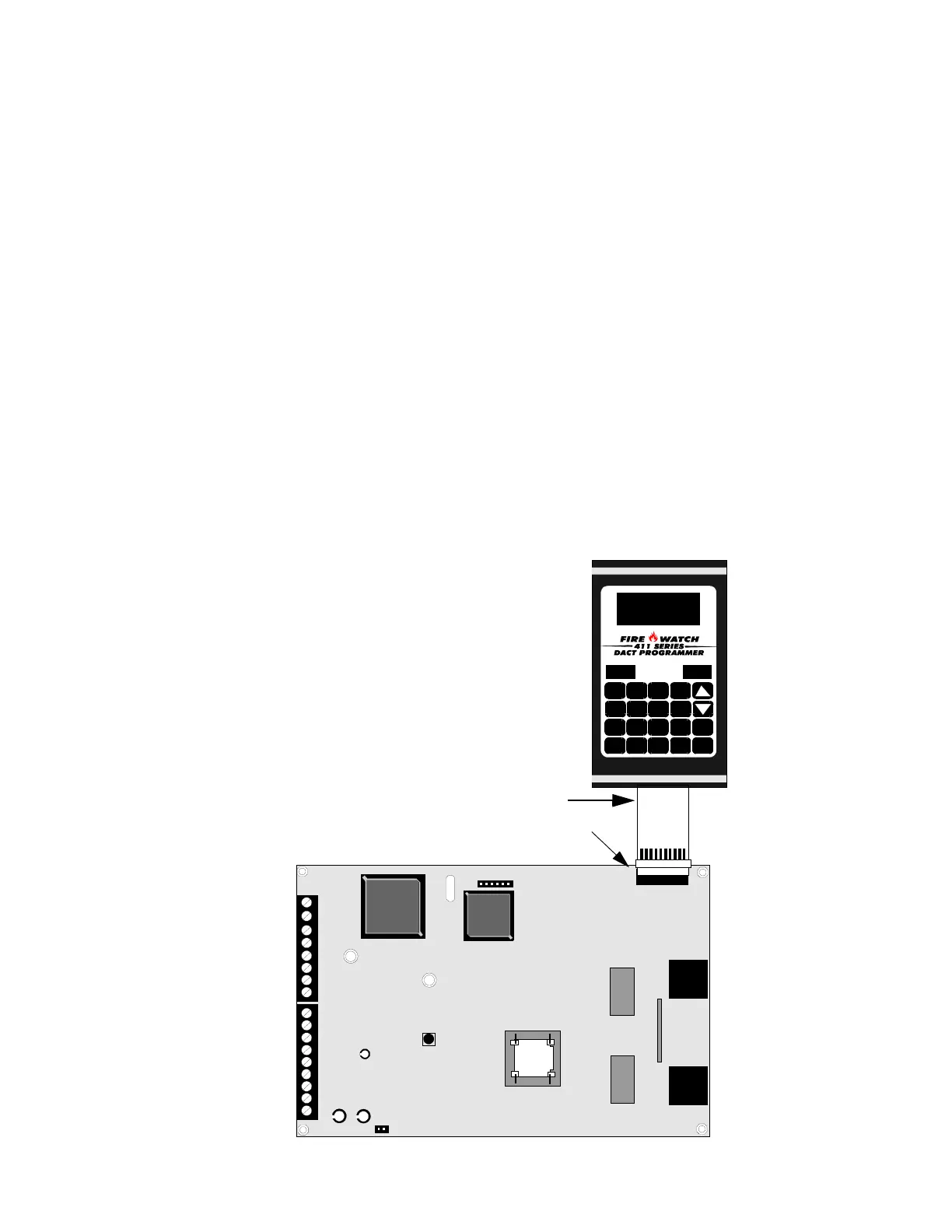
3. Connect the Programmer cable to connector J2 located in the upper right corner of the 411. Note that the key
on the connector must align with the slot in the J2 connector
4. Reapply power to the 411
5. Operate the Programmer by pressing the MODE key. Enter the appropriate four digit Mode code and then
press the [ENTER/STORE] key.
Note that it is not possible to switch from Normal Mode to any other mode if any of the four Channels is programmed
for fire alarm or fire supervisory, and is active, that is, in alarm (shorted).
TB2
TB1
U8
U10
J1
J2
J4
PH1
R41
PH2
0BC
D987
456 E
123 F
LAMP
TEST
1ST
EVENT
ENTER
STORE
MODE
FIGURE 2-5:Programmer Connection to 411
Cable attached to Programmer
411
Programmer
J2 connector
411-PRO.CDR


 To Next Page