27 Operating your EFTPOS terminal
Purchase transaction
with a credit card
This section describes how to complete a transaction using a credit card.
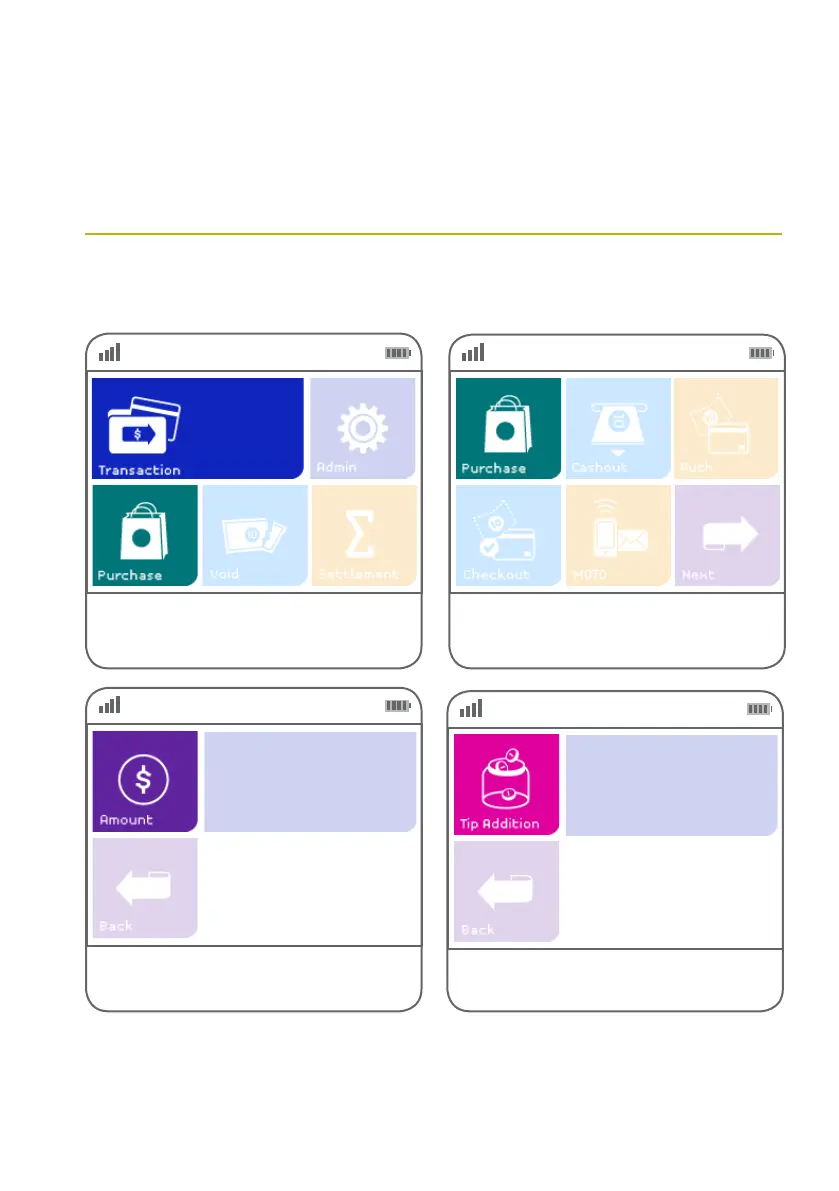
Step 01 Step 02
Alternatively, if ‘Purchase’ is not a congured hot
key, select ‘Transaction’, then select ‘Purchase’
from the transaction list.
Select ‘Purchase’ from the main screen
if it is congured as a hot key.
(Refer to page 70 for details.)
Step 03
Key in the purchase amount and press the green
ENTER key on the keypad.
$0.00
Step 04
Key in the tip amount if required.
$0.00



 To Next Page