49 Operating your EFTPOS terminal
Step 03
Step 05
Step 04
Step 06
Step 07
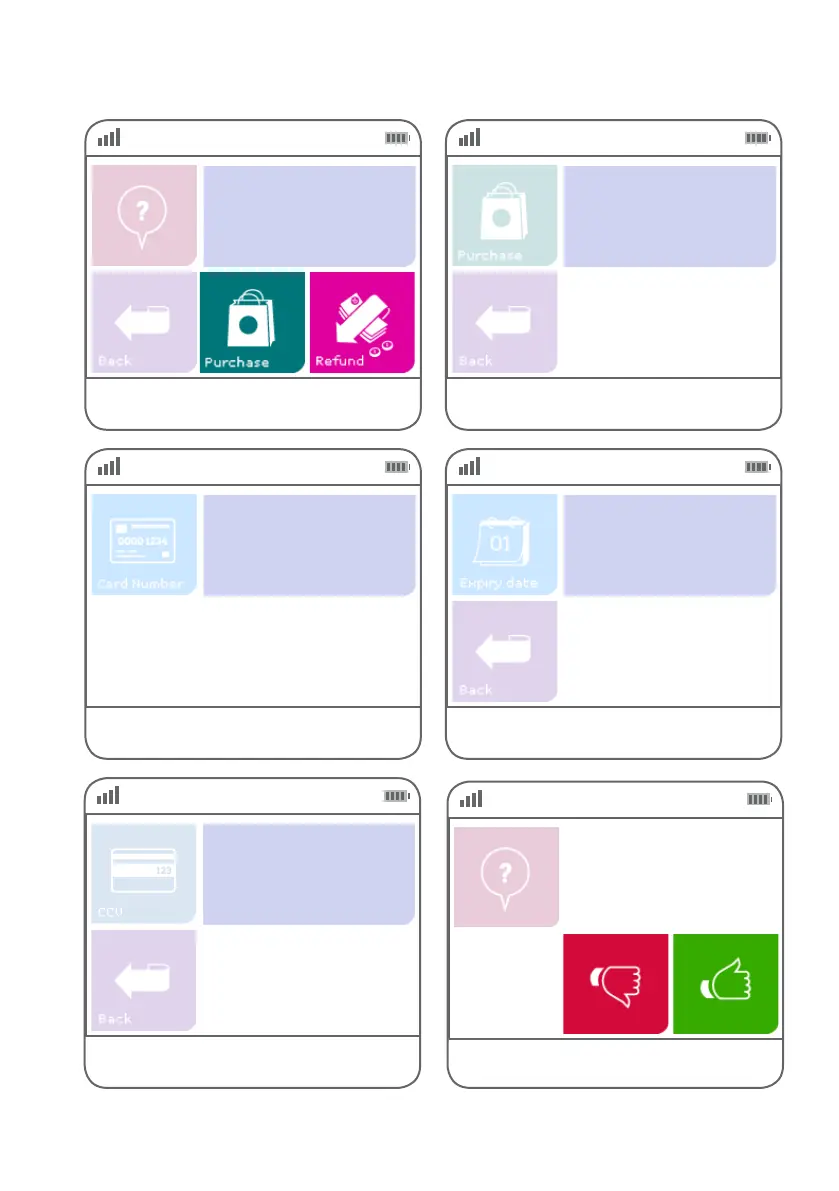
Select ‘Purchase’ or ‘Refund’
as the transaction type.
Key in the card number and press ENTER.
Key in the purchase or refund amount and
press ENTER.
Key in the expiry date on the card
and press ENTER.
Key in the CCV number on the back of the card
and press ENTER.
$0.00
Enter Amount
MOTO-Purchase
NNNNNNNN
Enter Expiry
(MMYY)
NNNN
Enter CCV
NNN
Step 08
Press green ‘thumbs up’ button to conrm the
amount or the red ‘thumbs down’ button to cancel it.
MOTO
Purchase: $$.$$
Total: $$.$$



 To Next Page