C ell Constant
Program 1:
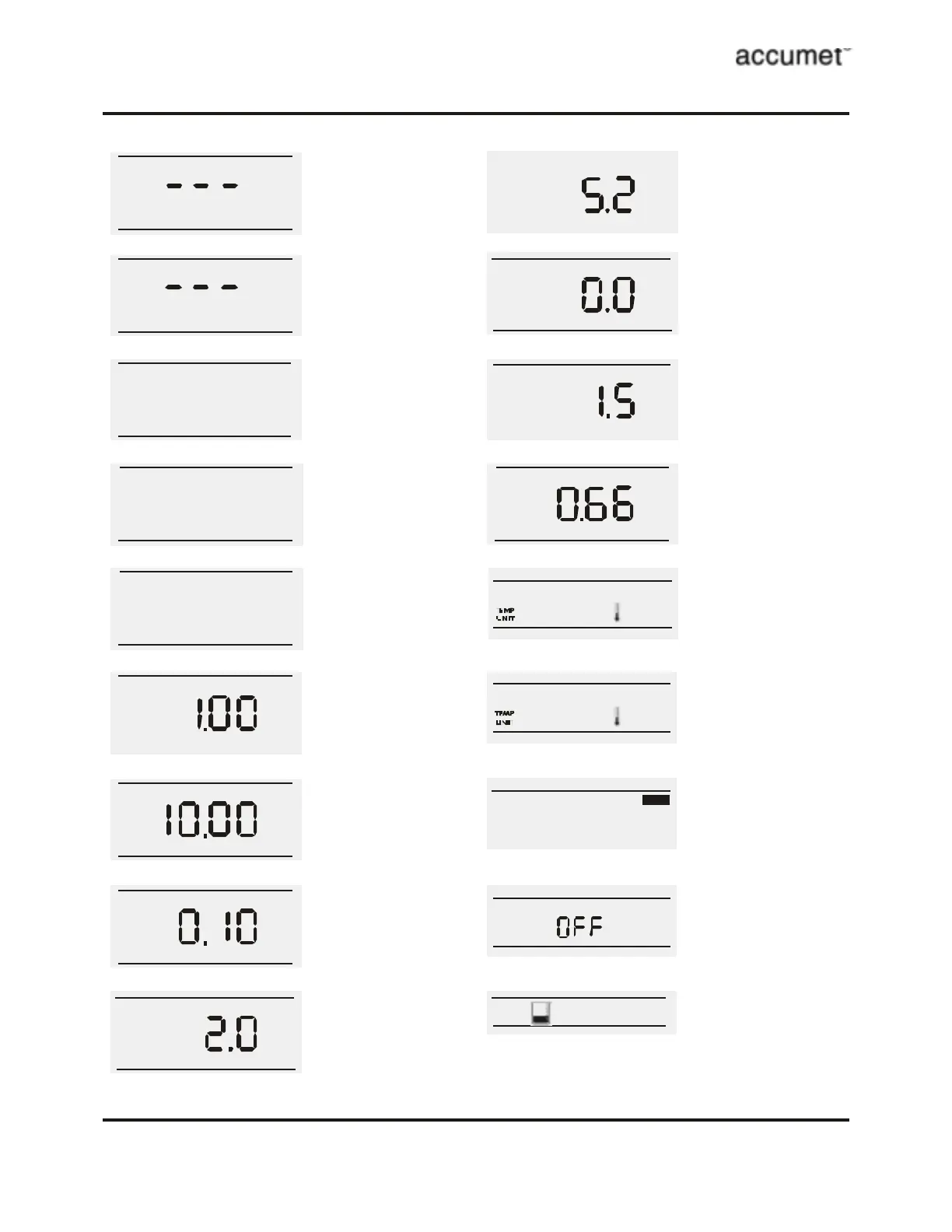
View Cell Constant
- View the calculated cell constant
s tored in memory. A series of
dashes Ò- - -Ó appears if there is
no c ell constant in memory.
Program 3:
Conductivity Mode
- S elect the c onductivity mode
from the setup options.
Program 5:
TDS Mode
- S elect the T otal Dissolved Solid
mode from the setup options.
Program 4:
Resistivity Mode
- Select the resistivity mode
from the setup options.
Program 6:
Select Cell Constant 1.00
- Select the nominal cell constant
from 1.00, 10.00 or 0.10.
Program 8:
Select Cell Constant 0.10
- Select the nominal cell constant
from 1.00, 10.00 or 0.10.
Program 9:
Select Temperature
Coefficient (2.0%)
- Select the temperature
coefficient from 2.0%, 5.2%,
0.0% or 1.5%. Default is 2.0%.
Program 10:
Select Temperature
Coefficient (5.2%)
- Select the temperature
coefficient from 2.0%, 5.2%,
0.0% or 1.5%. Default is 2.0%.
Program 11:
Select Temperature
Coefficient (0.0%)
- Select the temperature
coefficient from 2.0%, 5.2%,
0.0% or 1.5%. Default is 2.0%.
Program 12:
Select Temperature
Coefficient (1.5%)
- Select the temperature
coefficient from 2.0%, 5.2%,
0.0% or 1.5%. Default is 2.0%.
Program 2:
View standardized value
- View the standardized value. A
series of dashes Ò- - -Ó appears if
the meter is not standardiz ed.
µS
µS
Ωohm
TDS
Cell Const ant
Program 7:
Select Cell Constant 10.00
- Select the nominal cell constant
from 1.00, 10.00 or 0.10.
Cell Const ant
Cell Const ant
COEFF
COEFF
COEFF
COEFF
Program 13:
Select TDS Factor
- Select the TDS factor from 0.40
to 1.00.
TDS
selec t
Program 14:
Temperature Unit (¡C)
- Select unit of measure for
Temperature either in ¡C or ¡F.
°C
selec t
Program 15:
Temperature Unit (¡F)
- Select unit of measure for
Temperature either in ¡C or ¡F.
°F
Program 16:
Enable Stability Indicator
-Set the stability indicator to be
displayed on the screen. Select
On.
STABLE
Program 17:
Disable Stability
Indicator
-Set the stability indicator to be
NOT displayed on the screen.
Select OFF.
clear
Program 18:Clear User
Standardization
-Select to c lear the calibrati on
and return to Measure screen.
Overview of Setup Menus in AB30



 To Next Page