6 STANDARDIZATION
6.1 Using Setup
Conductivity probes are generally identified as having a
characteristic cell constant, 0.1, 1.0 or 10.0 which reflects their
physical geometry and their range of application. However, these
are typically nominal cell constants. The actual cell may vary
somewhat from the nominal values, and therefore the actual cell
constant must be calculated using a solution with a known
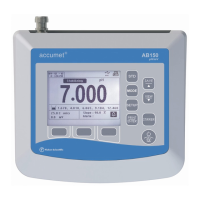
conductivity value. The standardization process of the AB30
meter permits you to obtain the exact cell constant of your
electrode. Standardize the electrode daily for best results.
Prior to standardizing, use the setup menu from Measure screen
to set the desired units, nominal cell constant which best
matches the electrode you are using, temperature coefficient
desired and the temperature units.
Conductivity/ standardization
Press std to enter to standardize screen. The STD Solution icon
will appear along with the measured value in both lower and
upper display with appropriate unit (uS/ mS)
If you wish to calibrate with different standard solution, press
setup to go to the screen in which user can adjust the desired
solution value in the upper display.
Upper display shows with first digit blinking and with appropriate
decimal point. Note that the unit of value you are going to set for
standardization is same as the current measurement unit. (If the
measurement is uS/ mS then setting also in uS/mS respectively.)
Use the π key to scroll until desired is set in the first digit. After
setting the first digit press setup to set the second digit.
If the first digit is not needed to set then press setup key to go to
the next digit setting.
After setting the all digits that is your standard conductivity
solution value to which you are going to standardize your meter,
press enter to confirm your set value.



 To Next Page