© FJDynamics. All rights reserved. 16
FJDynamics AT2 Auto Steer System Hardware Installation Manual
4.5.2 Installation Steps
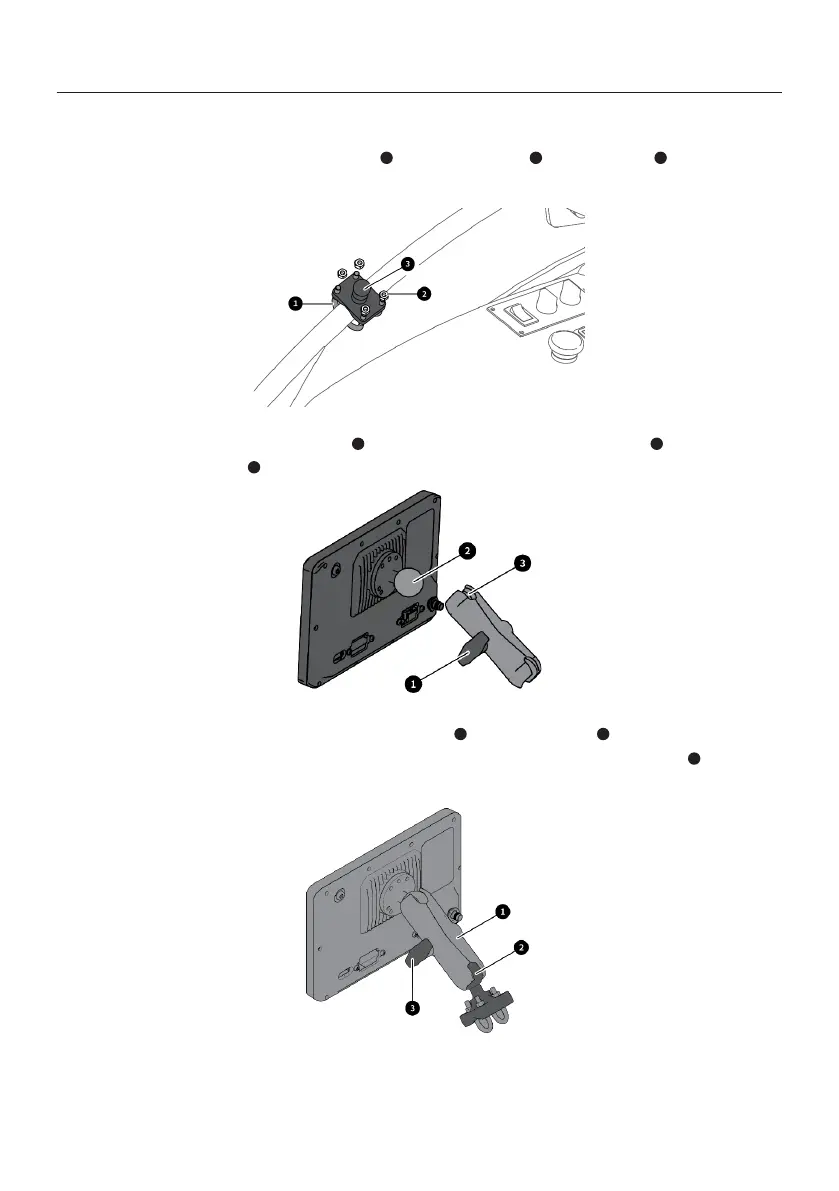
1. Fix the control terminal mounting base with two U-bolts and four nuts at an
appropriate position of the door armrest on the lap bar side of the cab.
3 1 2
2. Turn anticlockwise the hand screw to loosen it, and place the ball joint of the control
terminal into the socket of the control terminal bracket.
3. Place the socket of the control terminal bracket on the ball joint of the control
terminal mounting base in the same way as in step 2, and turn the hand screw clockwise
to fix the control terminal.
1
1 2
3
3
2



 To Next Page