© FJDynamics. All rights reserved.11
FJDynamics AT2 Auto Steer System Hardware Installation Manual
4.2 Installing the GNSS Receiver
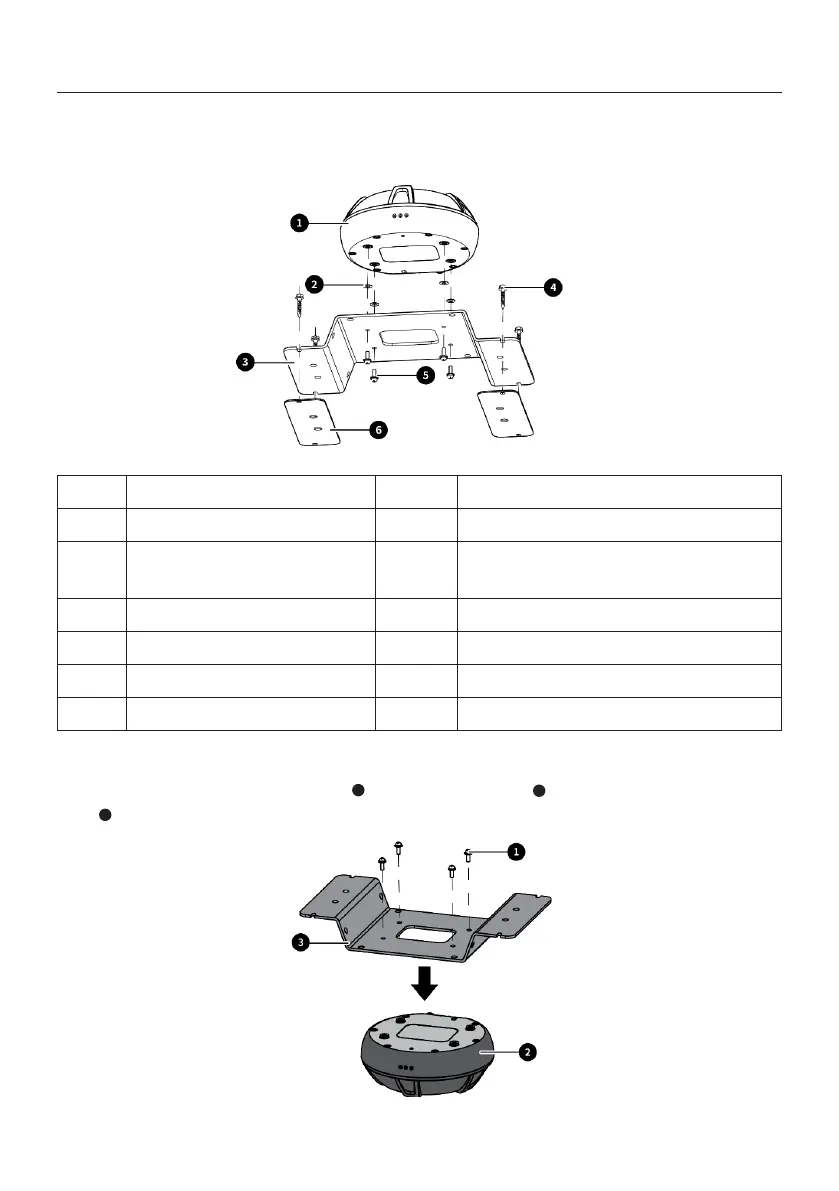
4.2.1 Components
No. Name Qty. Remarks
1 GNSS receiver 1
2 Anti-vibration pad M4 4
Pre-installed at the bottom of the
GNSS receiver
3 GNSS receiver bracket 4
4 Self drilling screw 4
5 Assembly bolt M4×12 4
6 3M sticker 2
4.2.2 Installation Steps
1. Connect the GNSS receiver bracket to the GNSS receiver with four M4×12 assembly
bolts .
3
1
2



 To Next Page