Hardware Installation Manual for FJD 3D Excavator Guidance System
11
Copyright © FJ Dynamics Technology Co., Ltd. All Rights Reserved.
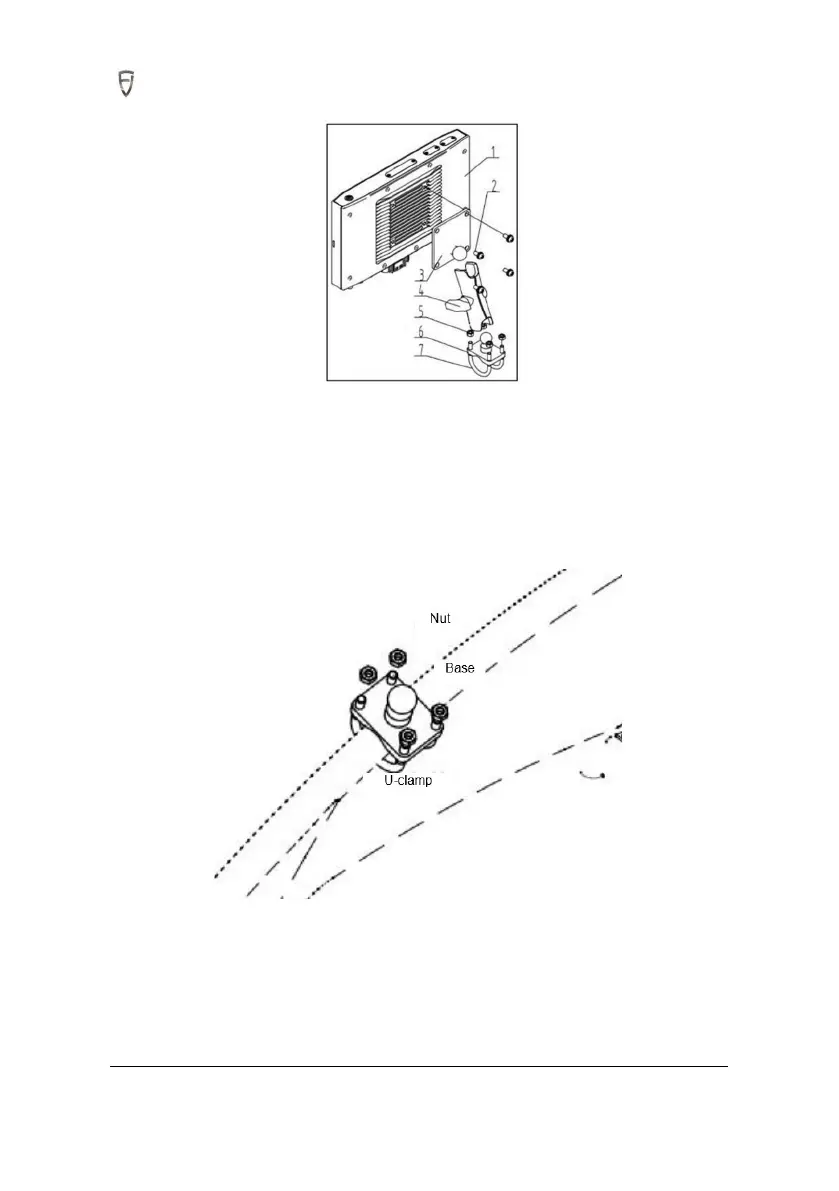
4.1.2 Installation Steps
Step 1: Fix the base. Choose the round steel position on the door side of the cab for easy operation
(depending on model structures). After determining the installation position, fix the bracket base of
control terminal with U-bolts and nuts.
Step 2: Take control terminal, rotate the bracket handle counterclockwise, and then loosen the bracket
ball socket to install the back ball of control terminal into the ball socket of the bracket.
Step 3: Install control terminal assembled in Step 2 on the base ball, and turn the handle clockwise to
tighten it. The control terminal is required to be well fastened.



 To Next Page