Hardware Installation Manual for FJD 3D Excavator Guidance System
20
Copyright © FJ Dynamics Technology Co., Ltd. All Rights Reserved.
4.5.2 Installation steps
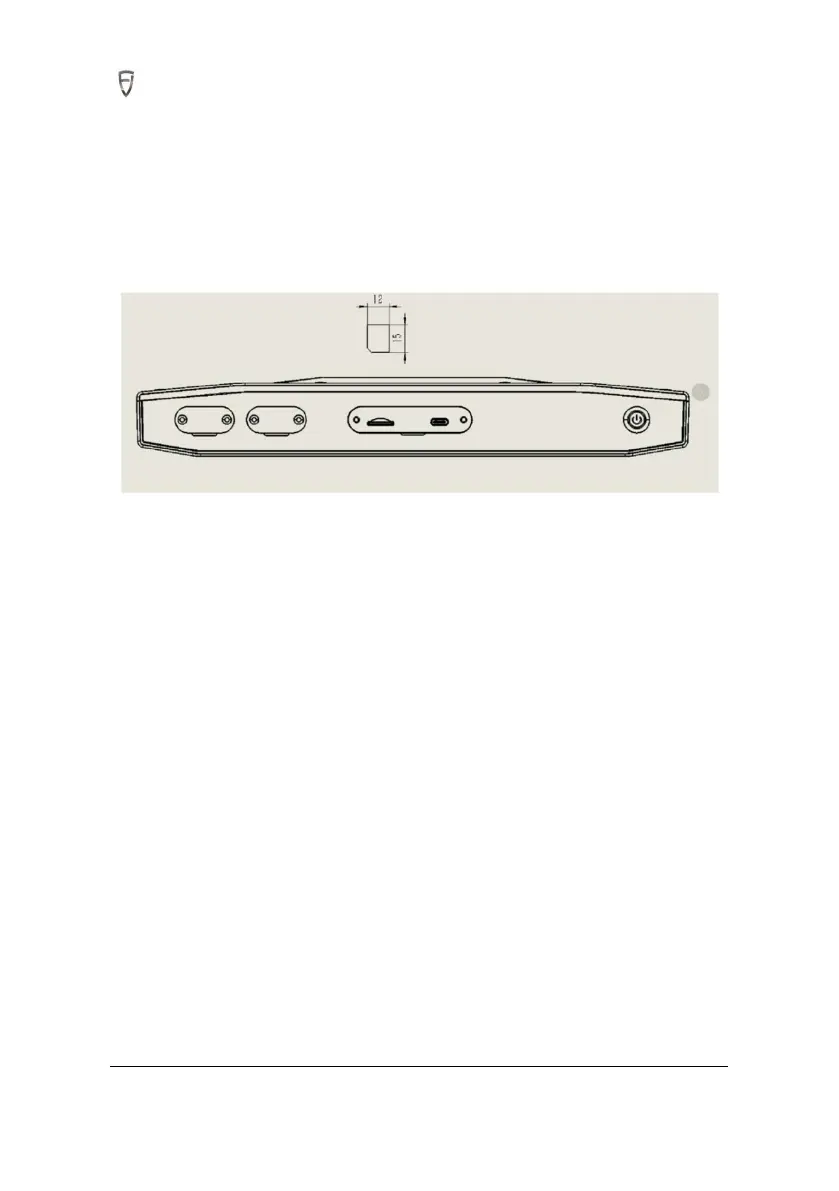
1. Unscrew the T3 cover on the top of control terminal with a Phillips screwdriver to expose the
following SIM card interface.
2. Place the SIM card with the chip facing upwards, use an ejector needle and tweezers to slowly insert
the SIM card into the proper position of the slot in the top T3 interface.
As above, the hardware part of FJD 3D Excavator Guidance System has been installed.
5. System Commissioning
5.1 Check before Commissioning
Excavator Condition Checking
It is necessary to ensure that the excavator is in a stable condition and all parts are working properly.
Site Checking
1. Confirm that there are no tall trees, buildings, or other obstacles that affect satellite signals around
the Commissioning site.
2. There shall be no high voltage lines within 150 meters around the Commissioning site.
3. The Commissioning site should be a level ground with a length of not less than 50 meters and a
width of not less than 10 meters.
4. The ground of the Commissioning site should be flat such as cement road or asphalt road.
5.The Commissioning should be carried out on a non-public road. During Commissioning, ensure that
there are no unrelated persons around the excavator to prevent personal accidents.



 To Next Page