Hardware Installation Manual for FJD 3D Excavator Guidance System
15
Copyright © FJ Dynamics Technology Co., Ltd. All Rights Reserved.
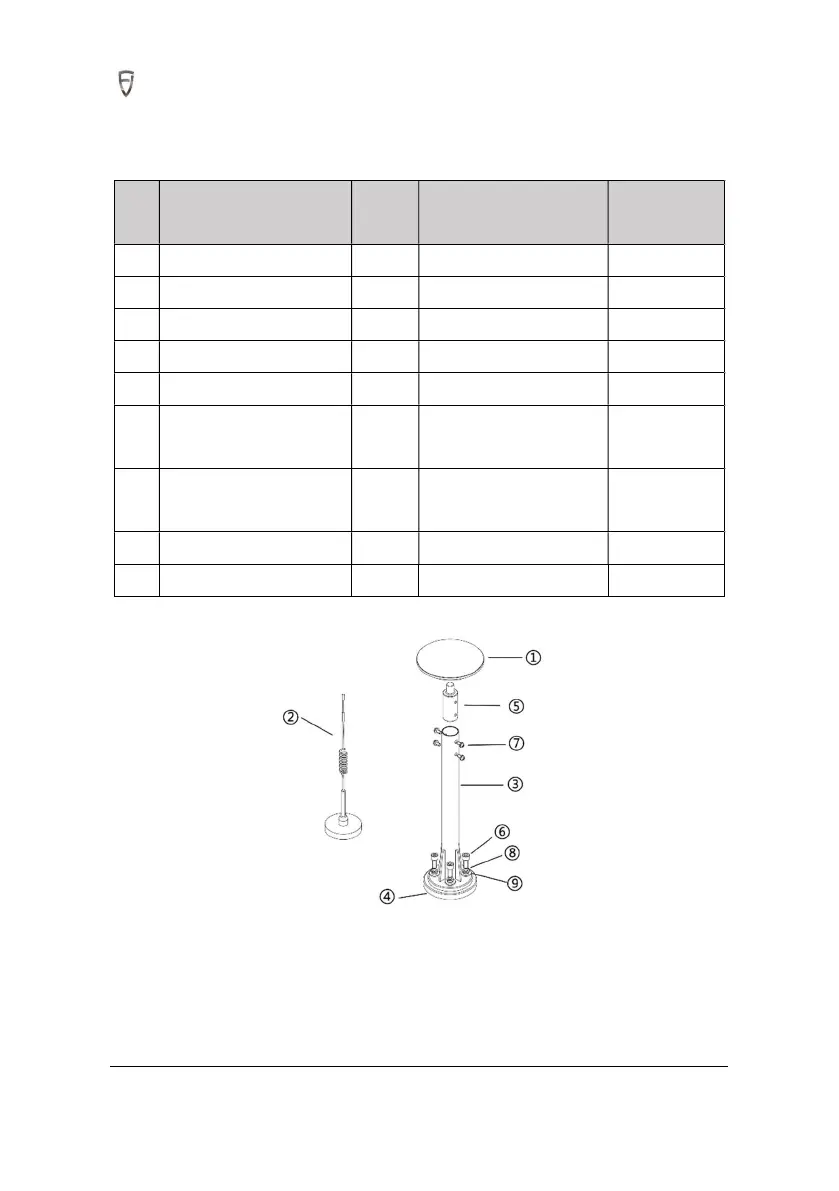
4.3 Installation of Antenna
4.3.1 Required Materials
S/
N
Item Qty Spec./model Remark
1 RTK antenna 2
2 4G sucker antenna 1
3 RTK bracket 2
4 RTK bracket base 2
5 Antenna convertor 2
6 Hexagon socket head cap
screw
8 M10×25
7 Pan head bolt with elastic
flat washer
8 M6x14
8 Standard spring washer 8
φ10
9 Flat washer 8
φ12
4.3.2 Installation steps
1. Place the RTK antenna convertor in the welded sleeve of the RTK bracket, align the screw holes, and
fasten it by M6x50 Pan head bolt with elastic flat washers.



 To Next Page