Hardware Installation Manual for FJD 3D Excavator Guidance System
16
Copyright © FJ Dynamics Technology Co., Ltd. All Rights Reserved.
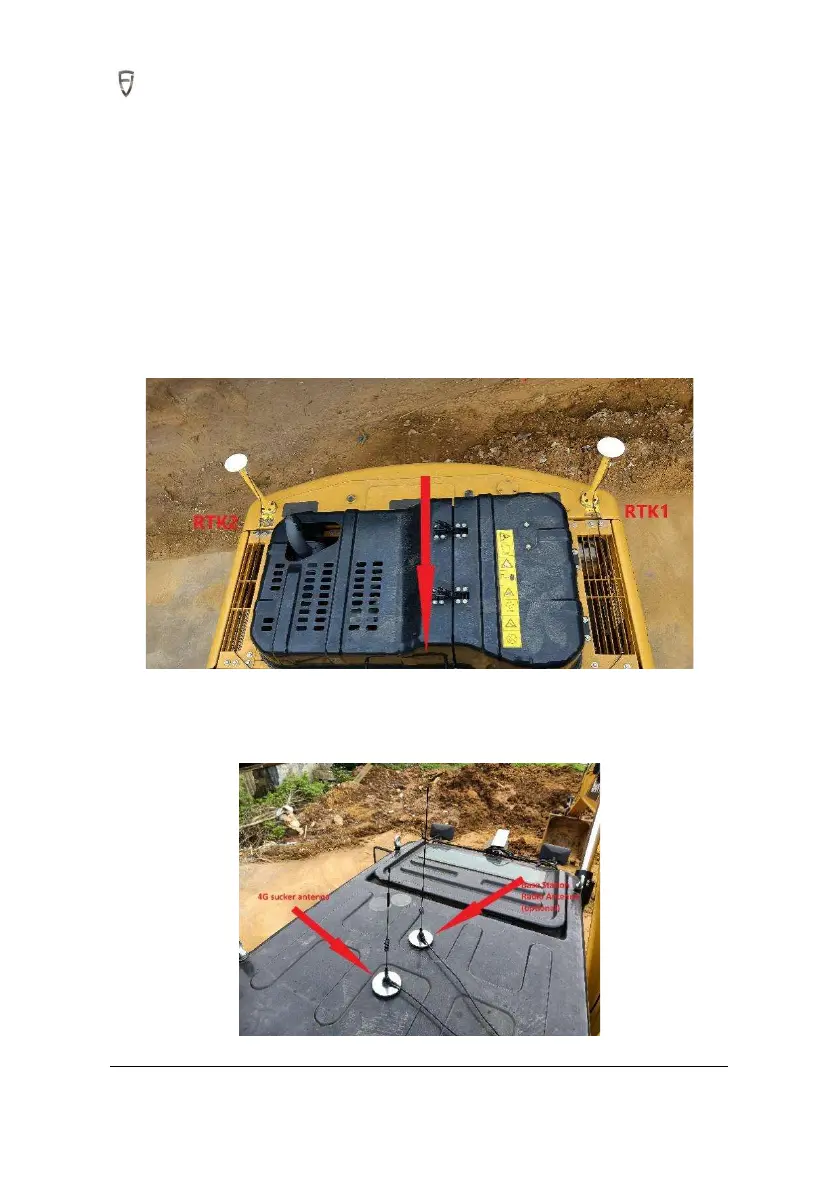
2. Install the RTK antenna on top of the mounted bracket, and ensure that the threads are tightened.
3.Weld RTK bracket base to two symmetrical positions respectively on both end of excavator backside.
The spray layer of the welded position needs to be polished before welding. The exposed surface
needs to be panted for protection when welding is completed, and then fix the bracket to it with M10
x 25 head cap screws. (If welding is not available, the bracket can be fixed directly to excavator with
3M tape.)
4. The antenna on the right side of excavator is Beidou 2 directional antenna, and that on the left side
is Beidou 1 positioning antenna, as shown in the figure below.
5. The 4G sucker antenna should be arranged according to the on-site location as required below: (1)
The magnet adsorption is available at the arrangement location; (2) The signal is unobstructed.



 To Next Page