Manual Flamcomat MK-U G4
We reserve the right to change designs and technical specifications of our products.
25
ENG
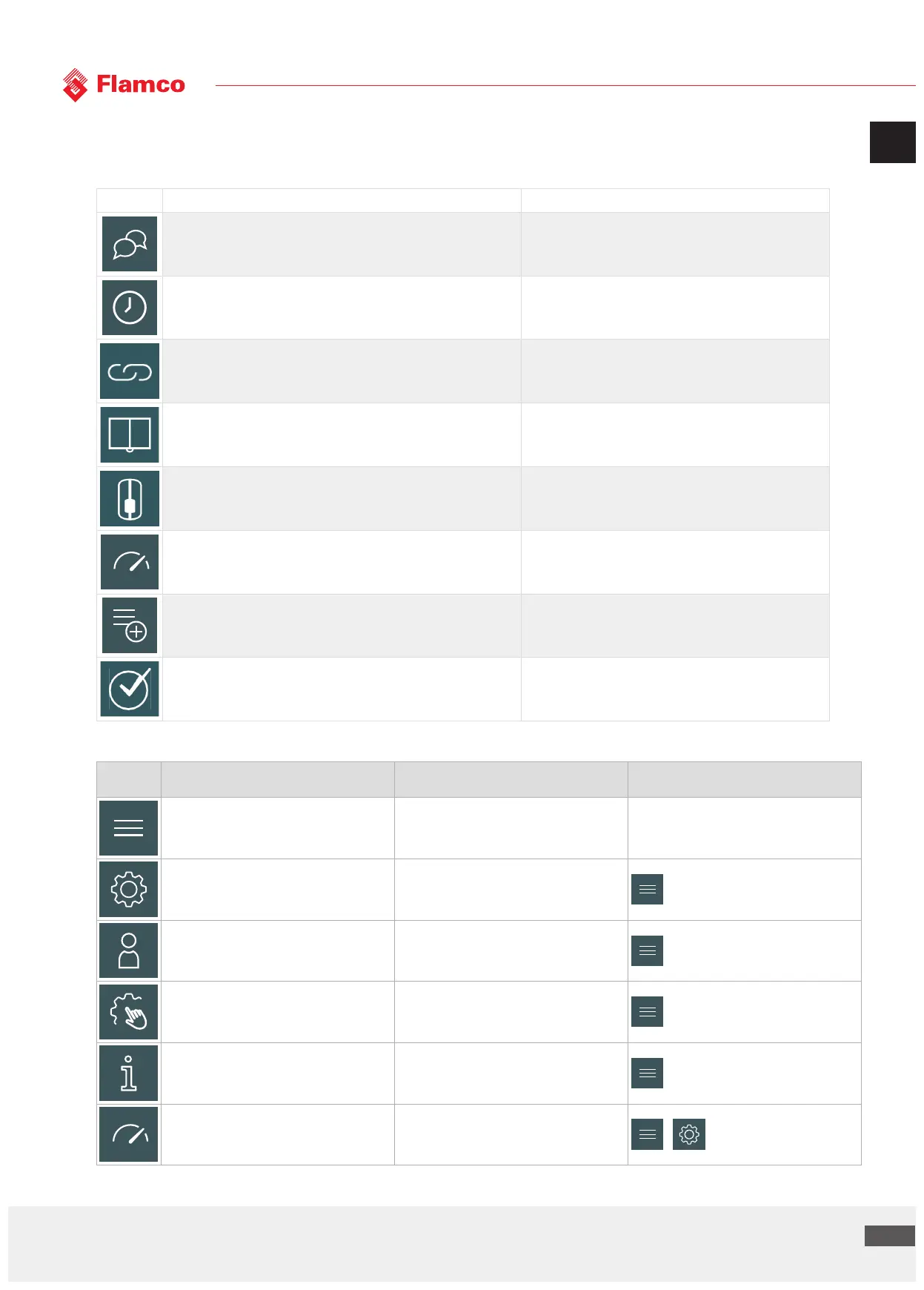
7.3 Overview menu
options Download Flamconnect
Icon Name Function
Language selection To select the language of the interface
Time-Date setting To set the time and the date
Connect via App To pair your smartphone/tablet via wireless to proceed the
commissioning with mobile
I have read the manual To confirm your awareness of the commissioning process
Vessel type selection- vessel calibration To select the (primary) vessel
Pressure setting To set the desired pressure setpoint
Accessories selection To select the additional control function of the automat
Commissioning summary To confirm the automat settings
7.4 Clarification of menu icons, function and location
Icon Name Function Location
Home To observe the status of the automat
Settings To launch the settings menu
Login To login to access the advanced settings
Manual mode To run a manual activation of the actuators
Service info To observe the service information
Pressure
To change the operating pressure and the
pressure tolerance interval


 To Next Page