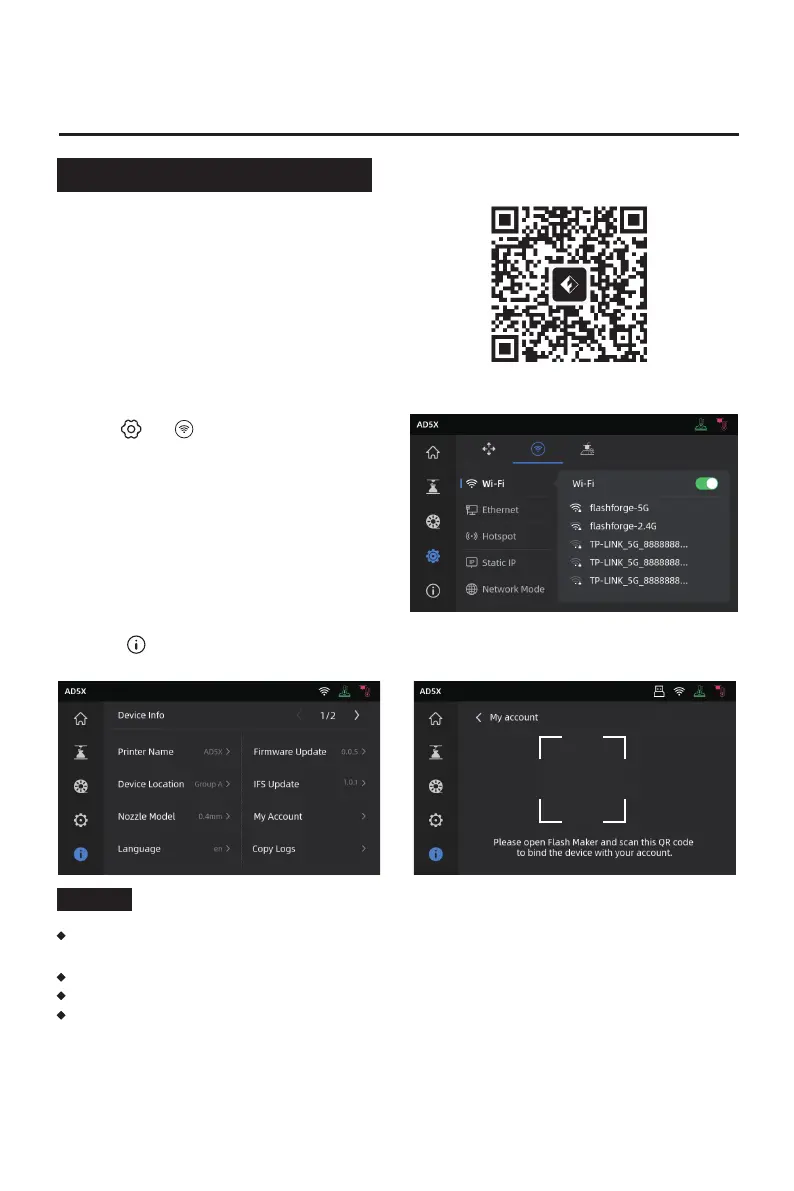
3. Click [ ] to enter the information interface, and then click [My Account] to access the
printer's QR code.
2. Software Introduction
06
2.1 Flash Maker Instructions
1. Download Flash Maker by scanning the QR
code (see right) or from the app store,
register your Flashforge account, and log in.
2. Click [ ] - [ ], and then turn on the
Wi-Fi switch to connect to the network.
By default, the device name is set to "AD5X", and its location is set to "Group A" upon
factory settings.
You can modify the name and location on the printer's information interface as needed.
Real-time monitoring is only available if a camera is installed and the feature is enabled.
The APP does not support connection in the LAN Only mode.
Note
QR Code















 To Next Page